
Setting a global timezone for your workspace is essential for keeping your team and your automation in sync. This setting ensures that every team member sees consistent timing across the platform.
By aligning your "Workspace Settings" with your primary base of operations, you prevent scheduling conflicts and ensure your messages reach contacts exactly when intended.
Step-by-Step
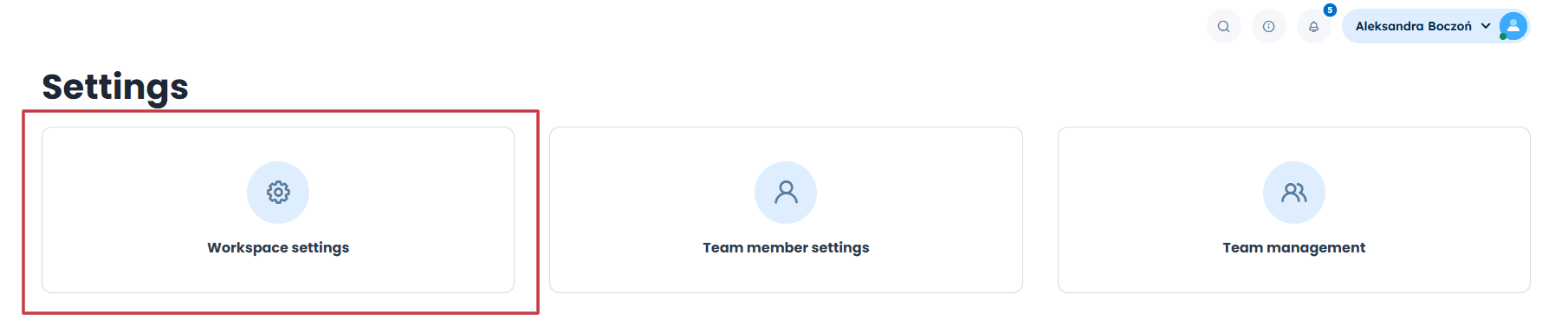
Go to “Settings” → “Workspace settings”.
Choose “Additional” → “Country-specific settings”
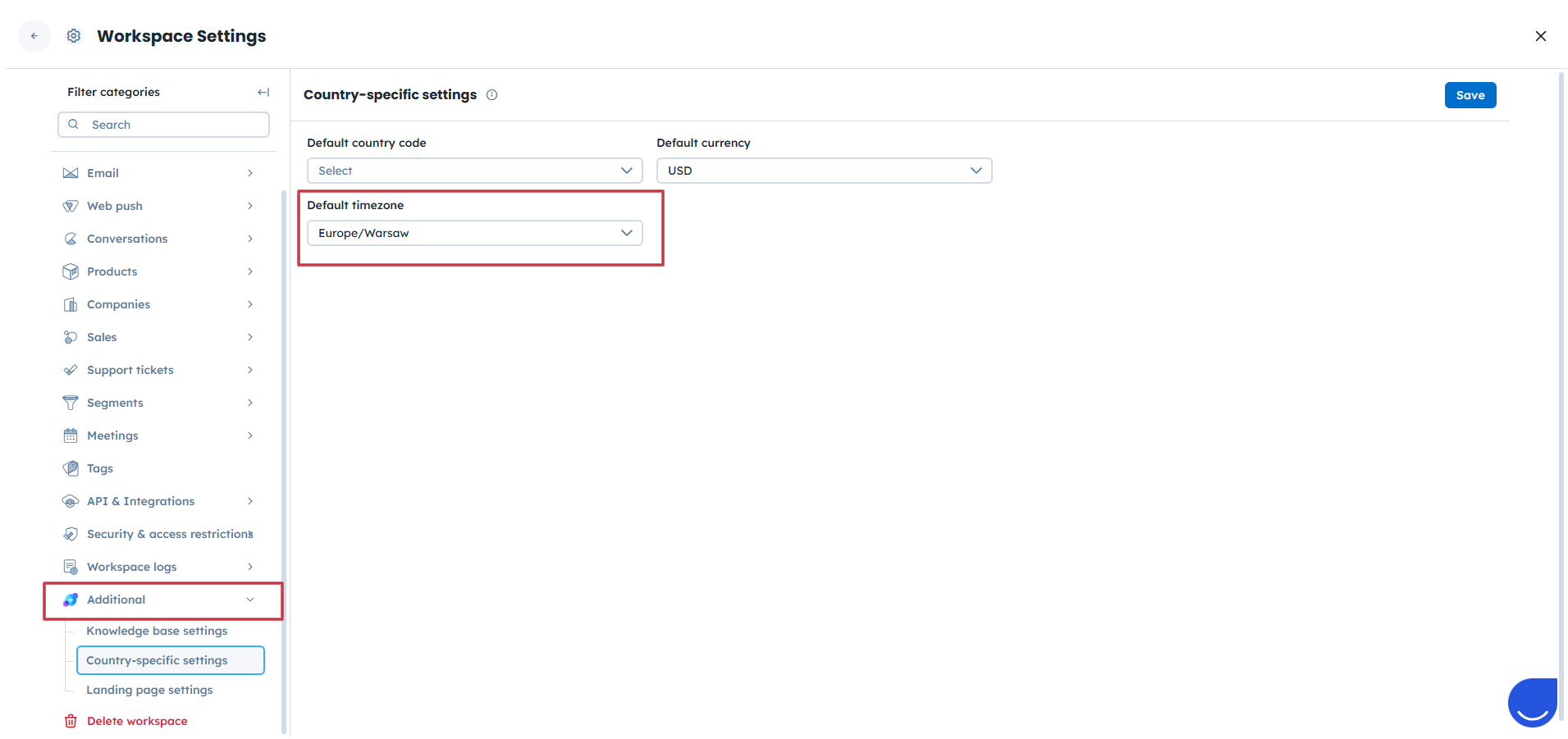
Select the time zone you want to use.
Save your changes.
Important note
Campaigns and automations are scheduled on the basis of the team member timezone settings, not workspace timezone.
Each team member can set own timezone in “Team Member” settings. Learn more about it “How to Configure Your Profile” article.
Related Articles