Public API keys allow your team to send or gather data from your workspace using the REST API. This is essential for syncing information between Positive User and the other tools your team uses daily. By setting up these keys, you ensure that data flows smoothly and securely across your entire tech stack.
Go to "Workspace Settings" → "API & Integrations" → "Public API".
Click the "New API Key" button. A form will appear where you can define how this key will function.
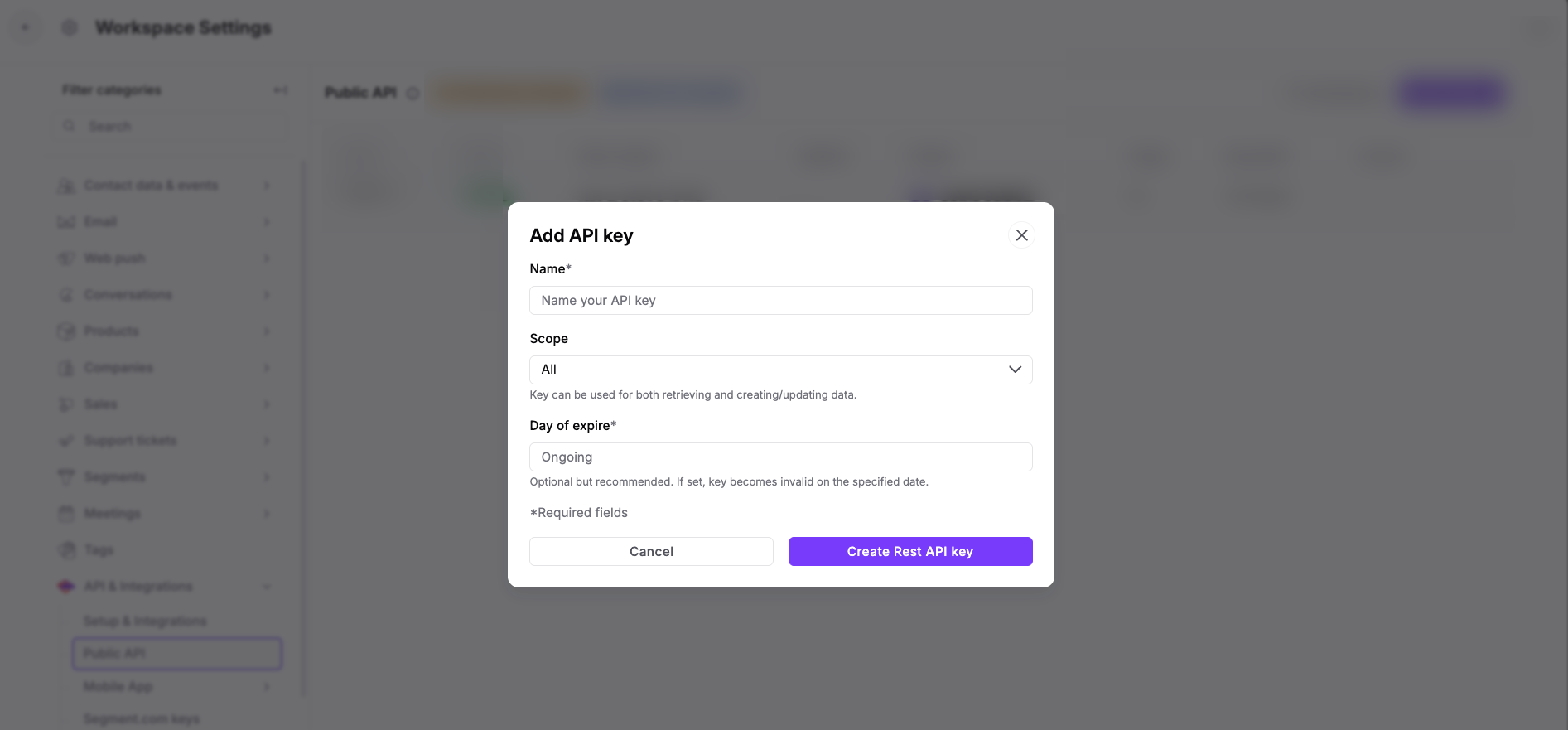
Name: Enter a name that describes the project or integration.
Scope:
Read Only: Your tool can see and retrieve data but cannot change or delete anything.
Write Only: Your tool can send, create, or modify data but cannot read existing information.
All: Your tool has full access to read, create, modify, and delete data.
Day of expire: Choose when the key should automatically stop working. This is highly recommended for temporary projects.

Save and copy the key. Once you click "Save", the system will display your full API key. This is a one-time view.
Beyond individual key settings, you can apply workspace-wide security rules to protect your data.
You can create a list of approved IP addresses that are allowed to use your API keys. This ensures that even if a key is leaked, it can only be used from your trusted office or server locations.
Automatic Activation: As soon as you add at least one IP address, "IP Whitelisting" turns on automatically.
Workspace-Wide: Any IP address you add here applies to all API keys in your workspace.
To keep your workspace safe and organized, follow these guidelines:
Use Separate Keys: Create a unique API key for every integration or project your team manages. This makes it easier to track activity and allows you to revoke access for one tool without affecting others.
Keep Keys Private: Treat your API keys like sensitive passwords. Never share them in public forums, and avoid including them in client-side code where they can be easily discovered.
Monitor Expirations: Use the "Day of expire" feature to ensure that old or unused keys do not remain active indefinitely.
By using scope settings, expiration dates, and IP whitelisting, your team can stay in full control of your data. Applying these security features ensures your integrations are safe and follow best practices.
If you’re ready to dive deeper into connecting your software with Positive User, check out our REST API documentation.
