
Connecting Facebook Messenger to Positive User helps your team manage all customer messages from a single dashboard. By linking these platforms, any incoming message on your Facebook page instantly flows into your workspace, ensuring fast responses and a unified communication history.
Integration Scope
This integration links your Facebook business pages directly to your Positive User workspace. It automatically routes all direct messages sent by contacts on Facebook into your central communication hub, allowing your team to view, manage, and reply to conversations seamlessly. This consolidation eliminates the need to jump between platforms, speeds up response times, and keeps your entire interaction history in one reliable place.
Step-by-Step
Go to "Workspace Settings" → "API & Integrations"→ "Setup & Integrations" and click "Facebook Messenger".
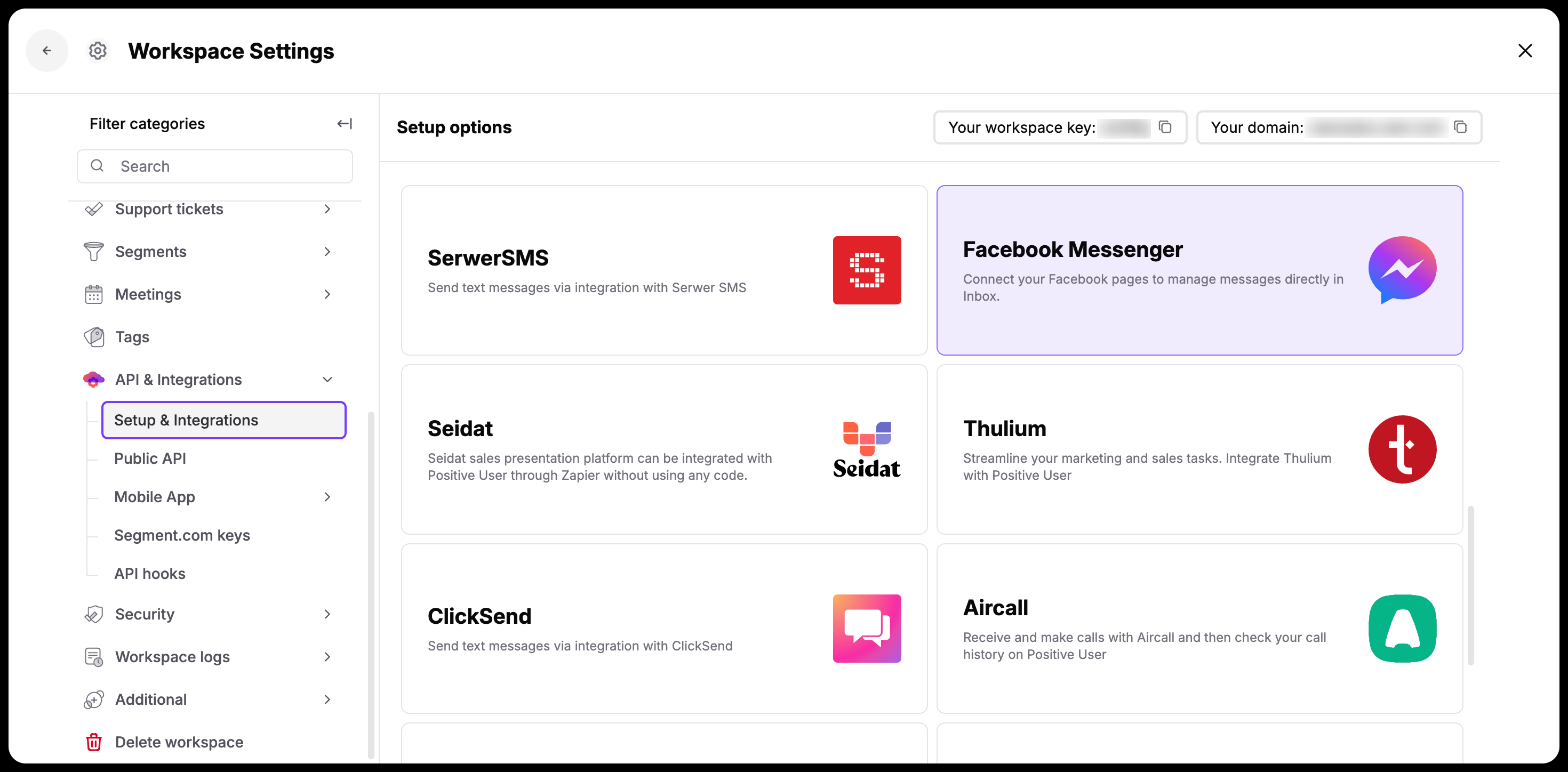
Click "Continue with Facebook". You will be redirected to Facebook to choose the specific profiles and pages you want to connect to your workspace.
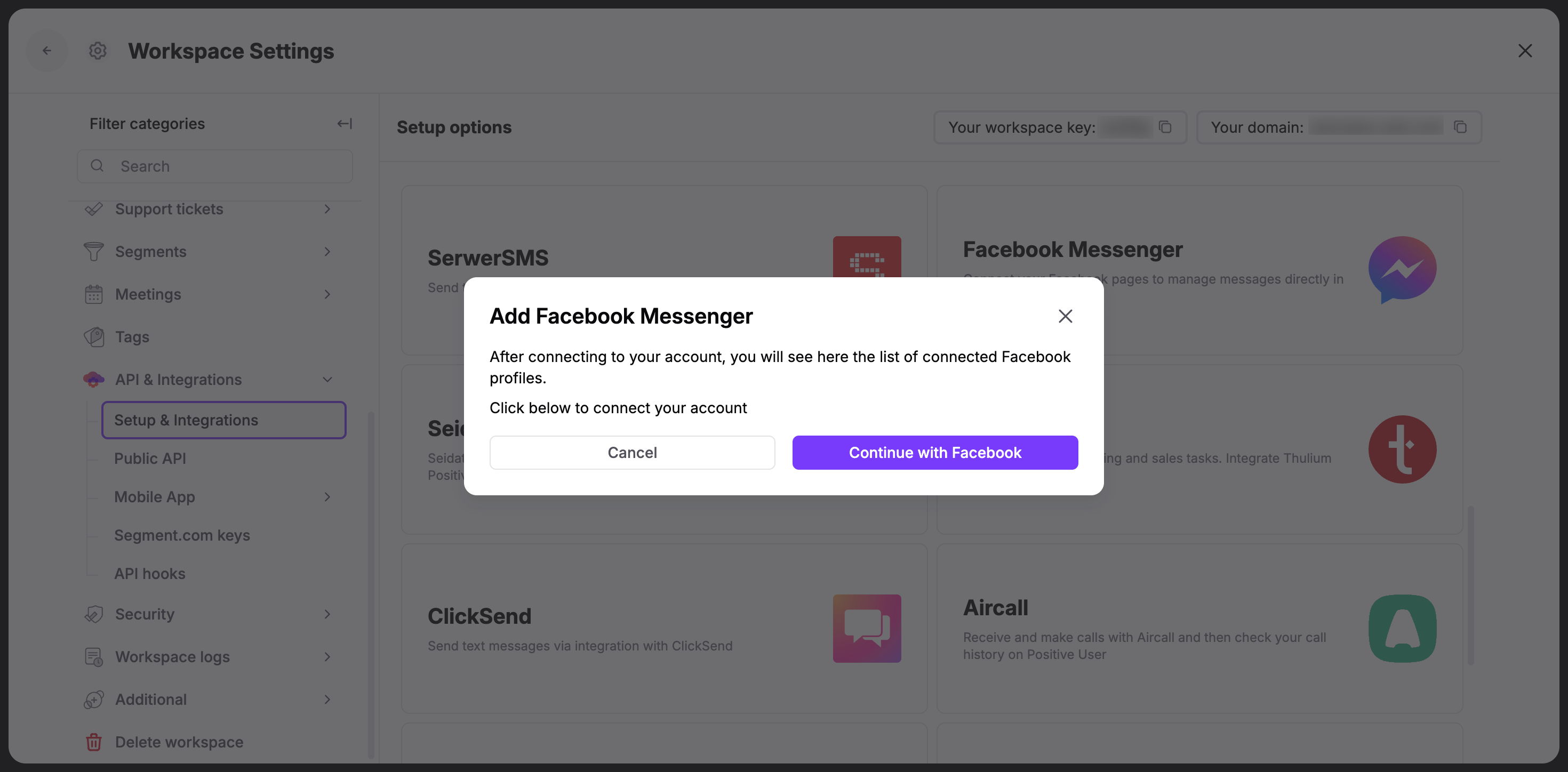
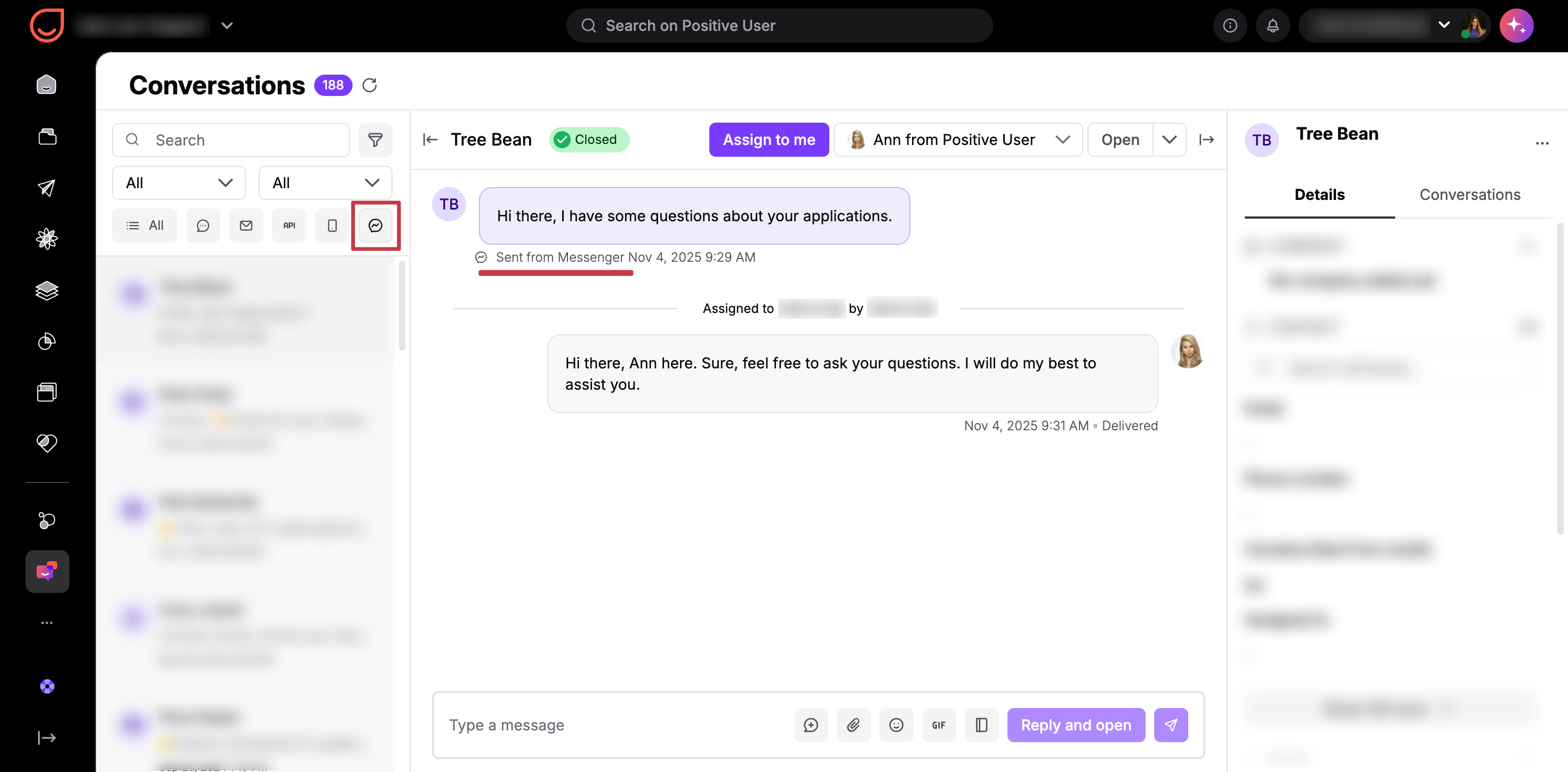
Verify your connected channels. After completing the setup, you will return to Positive User to see your connected Messenger channels listed in the window. From now on, incoming customer messages will appear directly in the "Conversations" section.
Disconnect a Profile
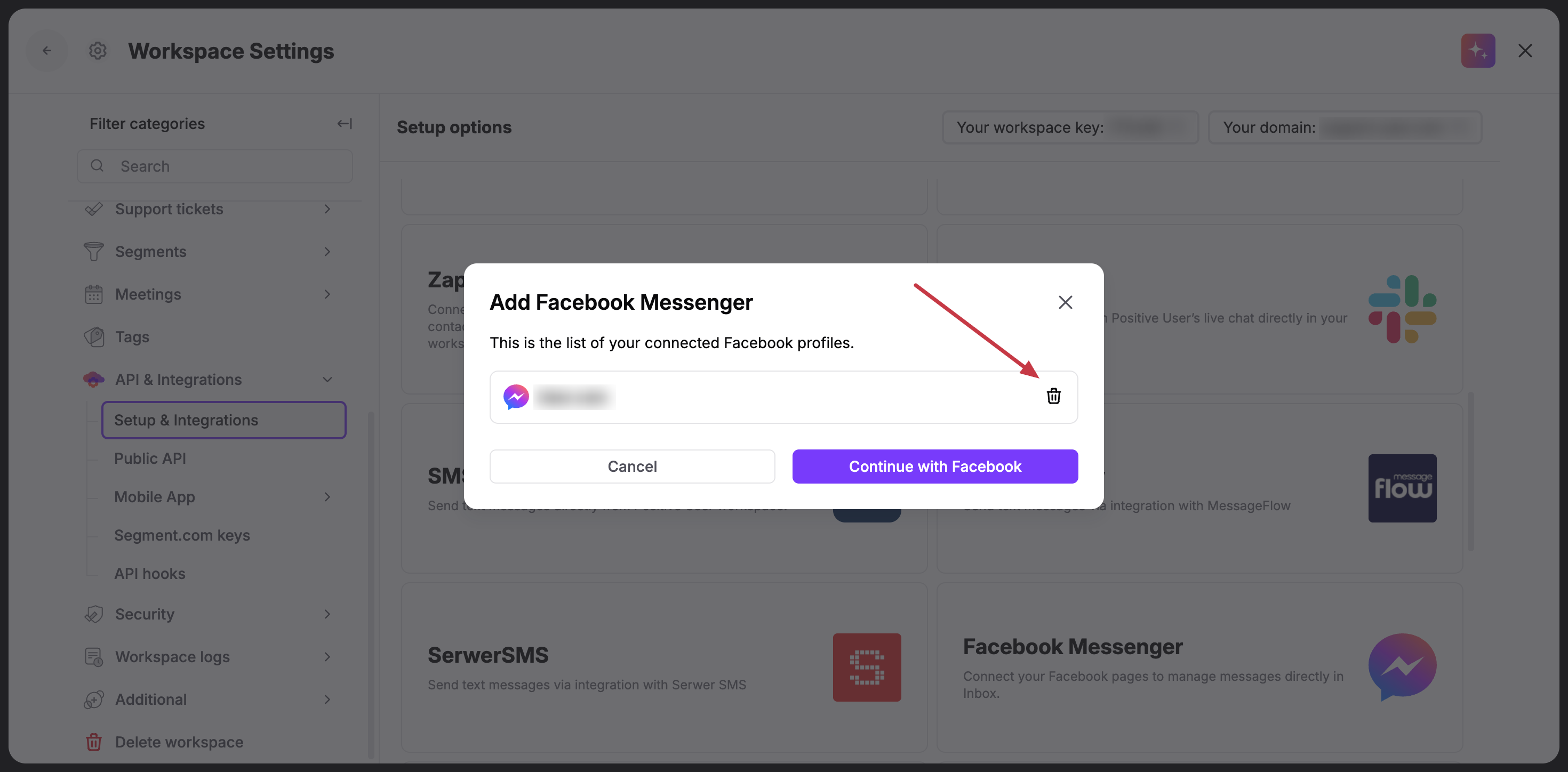
"Workspace Settings" → "API & Integrations"→ "Setup & Integrations" and click "Facebook Messenger".
To remove a profile, click the trash icon next to the channel and adjust your Facebook access settings for that profile if necessary.
Use Cases
Centralized Support: Your team can view and reply to incoming Facebook messages directly from the "Conversations" section, keeping all customer communications in one history.
Related Articles
“Conversations” Section Overview [LINK]
How to Filter by Conversations [LINK]