By connecting an SMS provider to Positive User, you can reach your contacts directly on their mobile phones. This is a highly effective way to send time-sensitive updates or promotions. While you create and manage these SMS campaigns within Positive User, the external provider is the engine that actually delivers the messages. Using a native integration ensures that delivery statuses are automatically updated in your campaign profiles.
Before setting up the integration, check these three factors to ensure the provider meets your needs:
Country Availability: Confirm the provider offers phone numbers or sender names for the specific countries where your contacts live.
Pricing: Review the cost per message, as rates often change depending on the destination country.
Local Regulations: Some regions require specific sender ID registrations or have unique settings. Ensure your chosen provider supports these local requirements.
Positive User has native integrations with the following providers. Click the links below to view specific setup details for each:
Aircall: Voice and SMS support for modern sales and support teams. [LINK]
Autopay: Useful for automated notifications and mobile payments. [LINK]
ClickSend: Global support for SMS messages. [LINK]
CM.com: Enterprise-level global messaging solutions. [LINK]
Messente: High-security messaging for global delivery. [LINK]
MessageFlow: Focuses on high delivery rates for automated flows.
SerwerSMS: Specialized in European messaging markets.
SMSAPI: A popular global provider with easy setup.
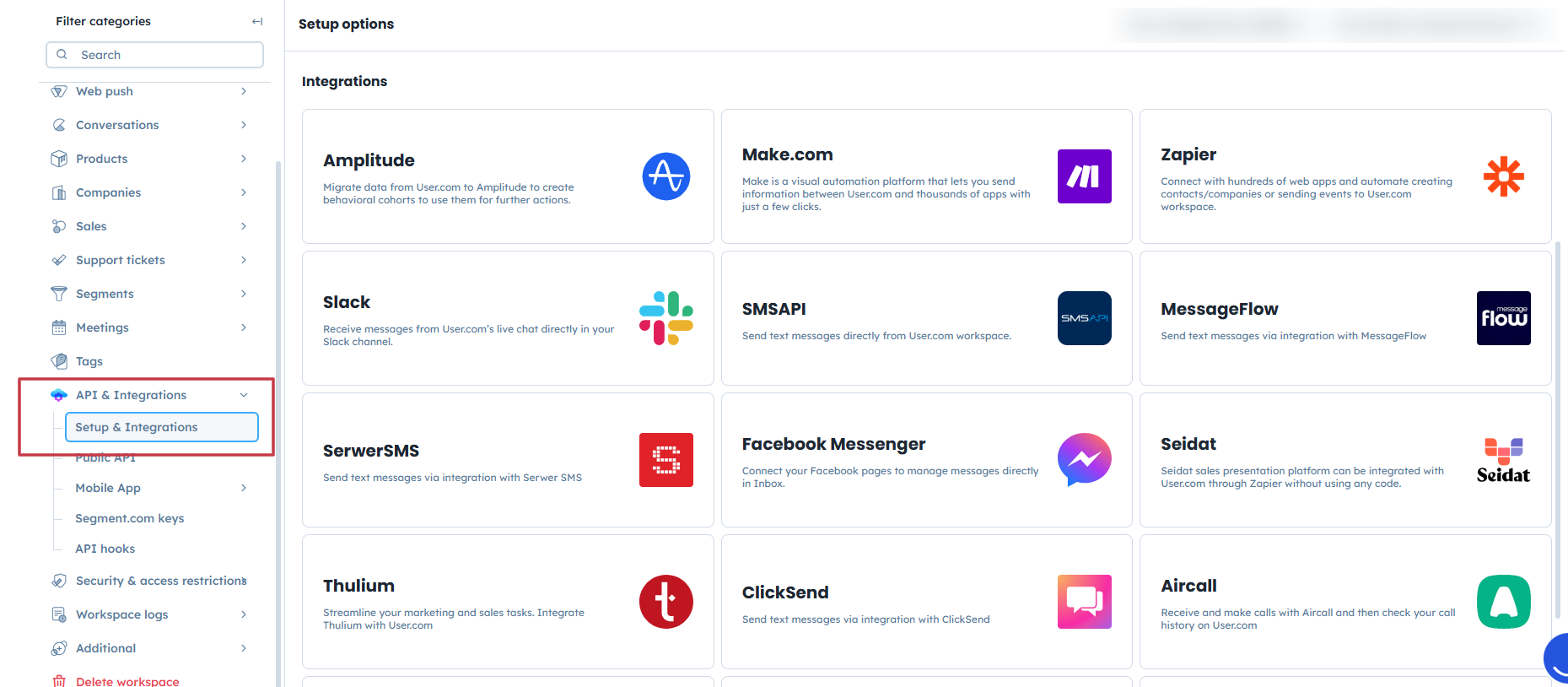
Go to "Settings" → "Workspace Settings" → "API and Integrations" → "Setup and Integrations".
Scroll through the list to find your provider’s icon (e.g., "SMSAPI", "ClickSend", or "Messente") and click on it.
Fill in the form with the API key or account credentials provided by your SMS gateway. Click "Confirm" to save the connection.

Once the connection is established the SMS account details can be used in SMS campaigns.
Send Your First SMS Campaign [LINK]
How to Create an Automated SMS Campaign [LINK]
