Building a relationship with your audience starts with respect. Email consent in Positive User helps you track exactly who has agreed to receive your marketing content and who has opted out. By using a standardized system for these permissions, you can ensure your communication remains compliant with regulations like GDPR while maintaining a healthy sender reputation.
Instead of guessing or manually managing lists, this feature provides a clear, automated way to see the status of every contact. This means your team can focus on creating great content for an engaged audience, rather than worrying about sending emails to people who aren't interested.
Email consent is a system within Positive User that tracks the marketing preferences of your contacts using a specific attribute called “email_opt_in“.
It exists as a standard field for every contact, allowing you to distinguish between three distinct states.
State | Value | Description |
Opt-in | true | The contact has explicitly agreed to receive marketing emails. |
Opted-out | false | The contact has explicitly declined or withdrawn their consent. |
Undecided | null | The contact has not yet made a choice. |

This differs from a simple "unsubscribed from emails" tag because it accounts for people who haven't interacted with your consent forms yet, helping you treat undecided contacts differently than those who have actively said "no"
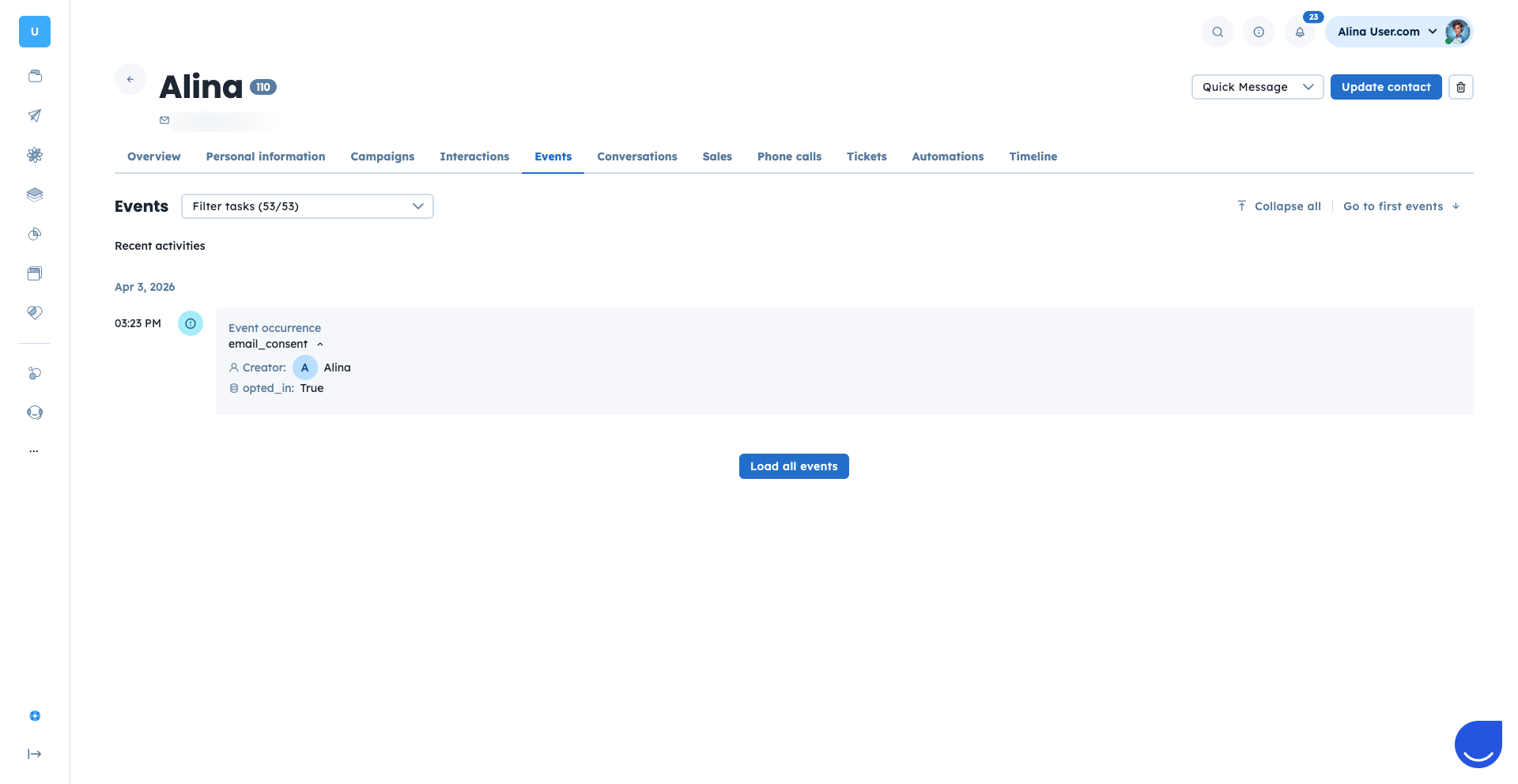
Every time a status changes (with the help of the snippet!), Positive User fires an event, that includes the new status and the "source". This provides a clear audit trail of how and when consent was given.
Example
{
 "name": "email_consent",
 "timestamp": "2025-05-08T14:00:00Z",
 "data": {
   "opted_in": true,
   "source": "email"
 }
}
“opted_in” event attribute can have only “true” or “false” value
“source” can have various values like “email”, “website”, “mobile”, etc.
To collect and manage permissions effectively, you need a way for your audience to share their preferences directly with your workspace. By creating consent links, you give your contacts a simple, one-click method to join your mailing list or opt out of future communications.
These links are essential for maintaining a healthy subscriber list and ensuring your team only spends time and resources on people who want to stay connected.
You can generate ready-to-use links for subscribing or unsubscribing using {% email_consent %} tag.
This snippet can be used in emails, on your website, or in other templates.
Subscribe link:
{% email_consent opt_in='true' %}OR
{% email_consent %}Unsubscribe link:
{% email_consent opt_in='false' %}Moreover, you can add a redirect parameter to your link to send contact" to a specific "Thank You" or "Goodbye" page on your site once they’ve updated their choice.
Subscribe link with redirect example:
{% email_consent opt_in='true' redirect='https://example.com/thank-you' %}Unsubscribe link with redirect example:
{% email_consent opt_in='false' redirect='https://example.com/goodbye' %}When a recipient clicks the link, they see a confirmation page.
Example:

You can update the “email_opt_in" value using API endpoints such as:
POST /users/update_or_create/
PUT /users/:id/
Do not treat contacts with null consent as opted-in.
Always provide an unsubscribe option in your emails.
Use clear language when asking for consent.
Track consent changes for audit purposes.
