If you notice a mistake in a campaign that is already sending or scheduled for later, you can stop it immediately. Archiving a campaign in Positive User pulls it from the delivery queue and prevents any further emails from being sent.

Use this method if you are already reviewing the specific campaign's details.
1. Select the Campaign
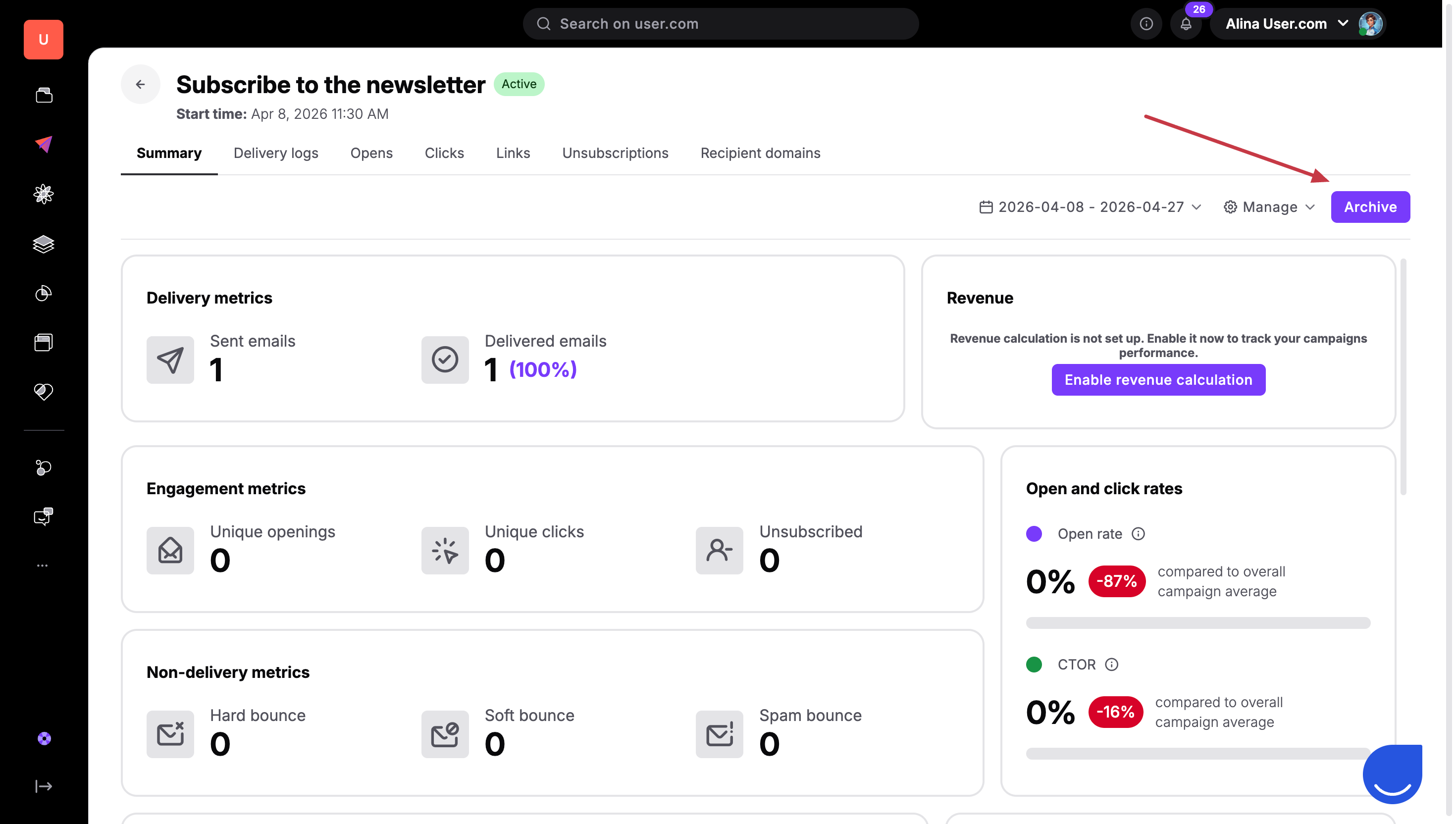
Go to "Campaigns" → "Email". Find the campaign you need to stop. Active campaigns usually have a green dot next to their status, while scheduled campaigns will show a "Scheduled for" date under their name. Click on the name of the campaign to open it.
2. Click Archive
In the top right corner of the email profile, click the purple "Archive" button.
3. Confirm the Deletion of Statistics
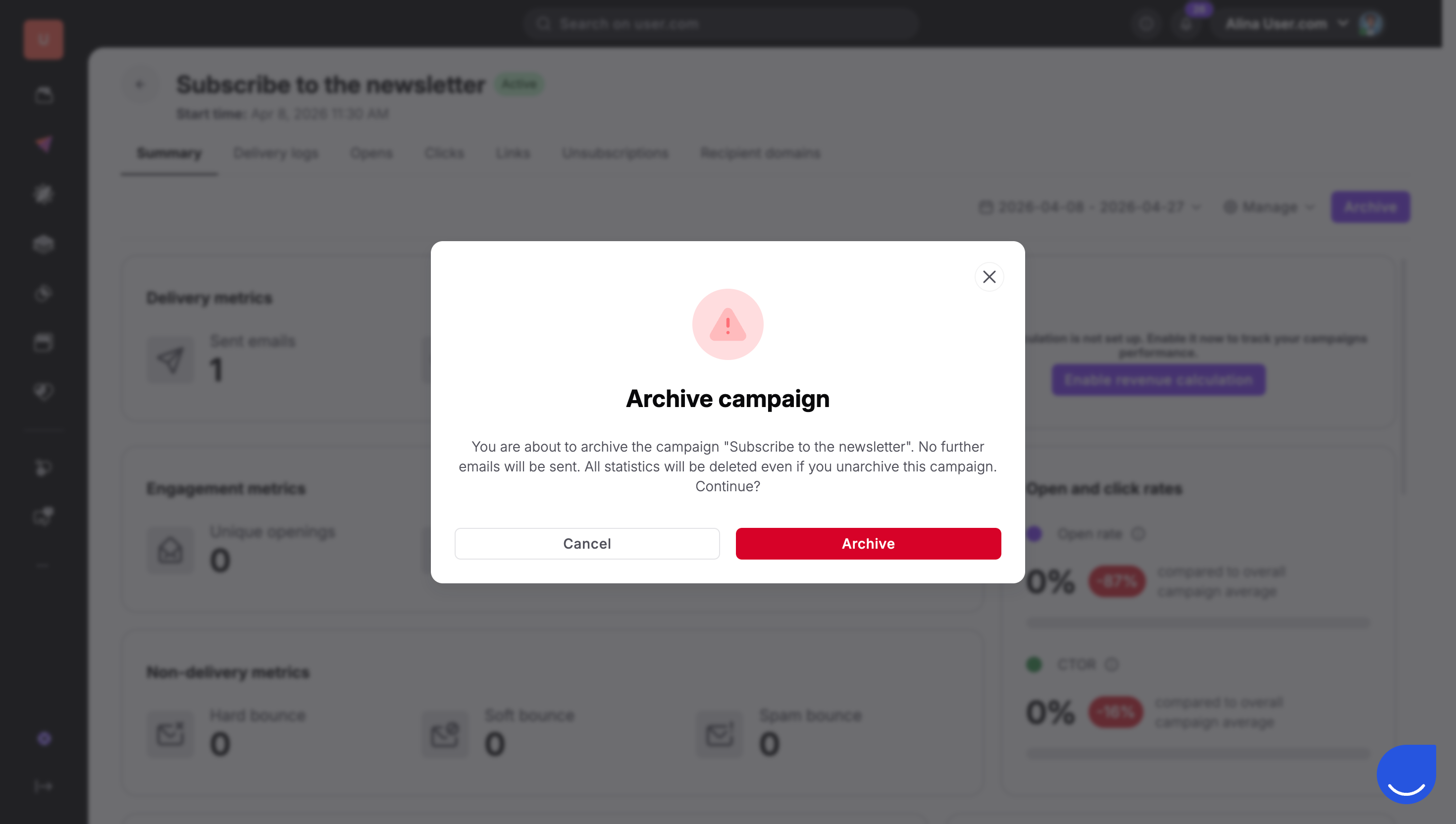
A pop-up message will appear warning you that archiving will result in the permanent loss of all campaign statistics and metrics. Click "Confirm" to proceed. The campaign will be moved to the archived folder and all delivery will stop instantly.
This is the fastest way to stop a campaign without leaving the main list view.
1. Open the Options Menu
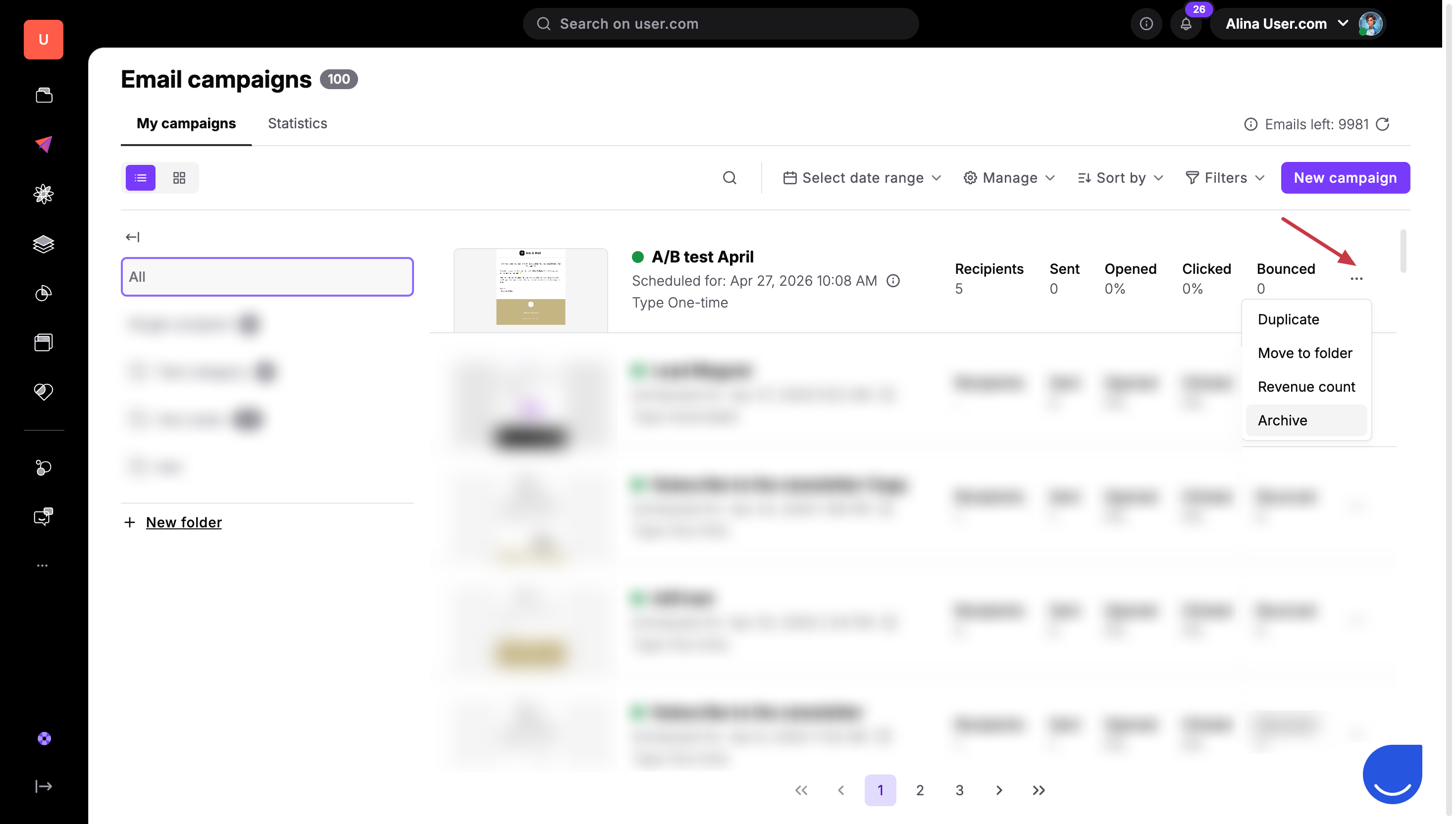
Go to "Campaigns" → "Email". Locate the campaign you want to stop and click the three dots "..." icon located in front of the campaign name.
2. Select Archive
Choose "Archive" from the dropdown menu.
3. Confirm the Action
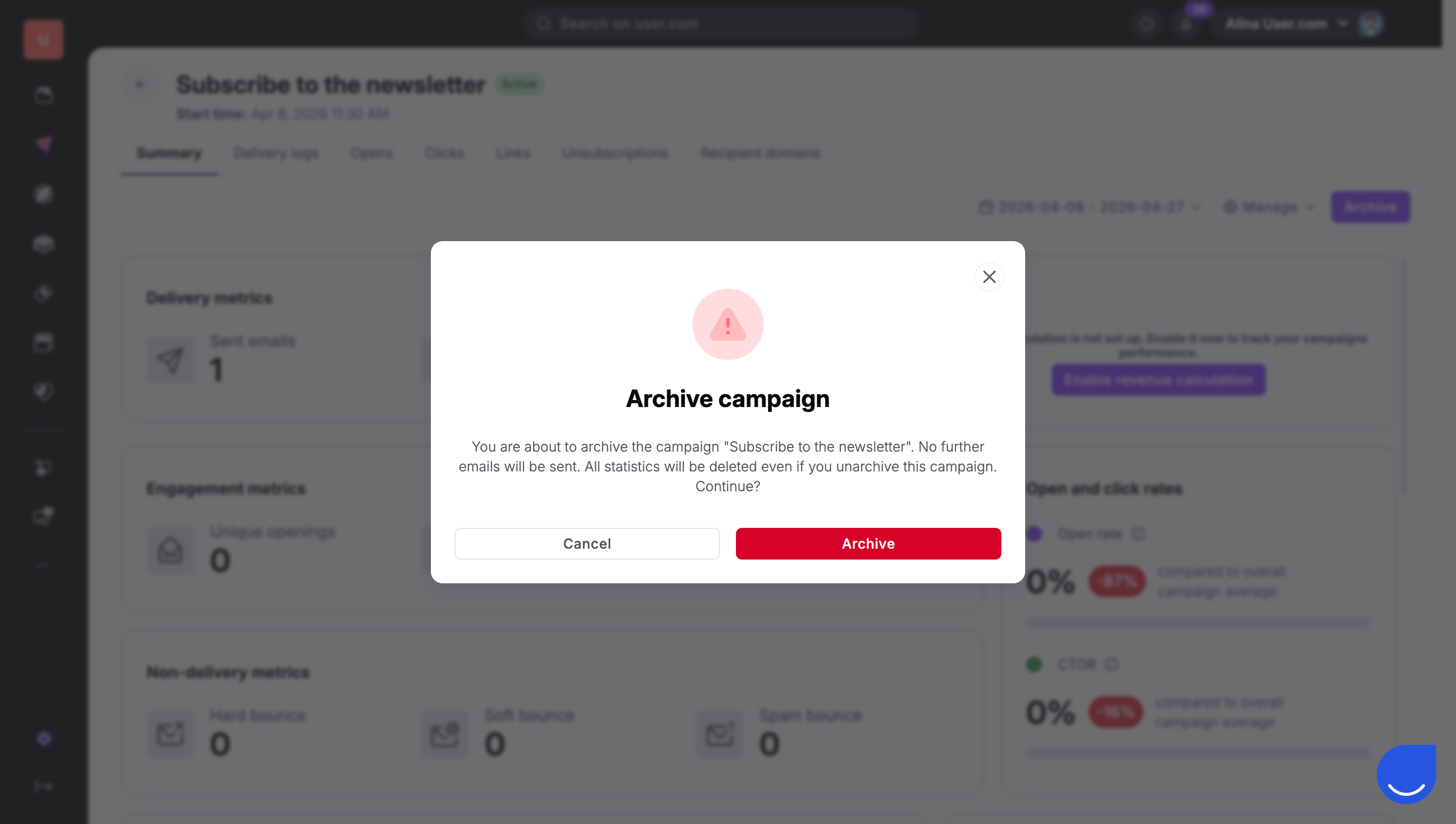
Review the warning regarding the permanent removal of statistics. Once you confirm, Positive User will automatically remove the campaign from your main list and stop all further email deliveries.
If you need to review a campaign you have stopped, you can find it in your archived folders.
1. Access the Manage Menu
Navigate to "Campaigns" → "Email" and click the "Manage" button.
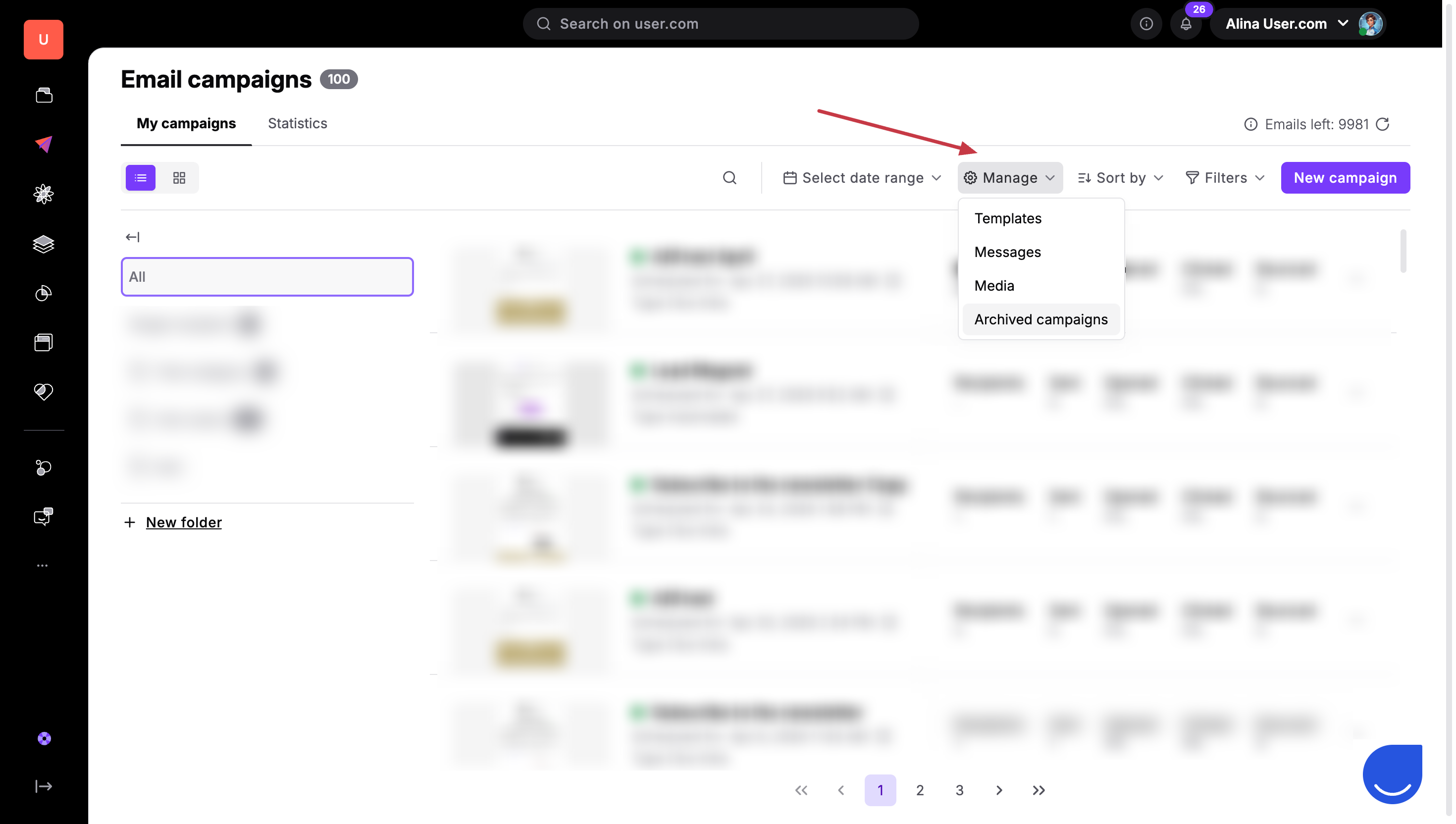
2. Open Archived Campaigns
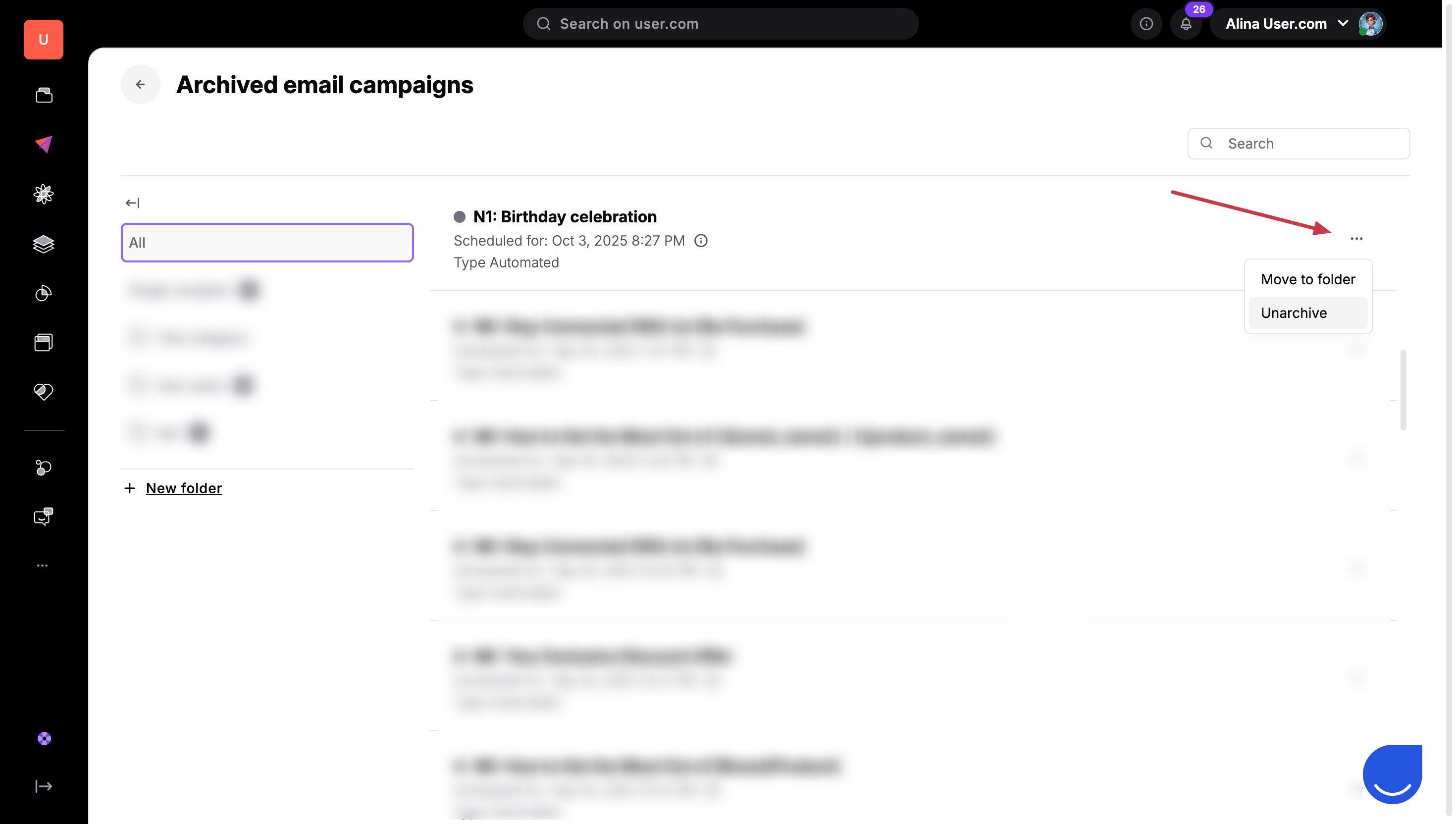
Select "Archived Campaigns" from the dropdown menu. You will be redirected to a list of folders containing all your archived email campaigns.
3. Unarchive if Necessary
From this list, you can choose to unarchive a campaign to move it back to your main list, though remember that the original statistics will remain empty.
Correcting a Mistake: If you spot a broken link or a typo after hitting send, archive the campaign immediately to stop the remaining emails from going out.
Stopping a Scheduled Send: Use archive to cancel a campaign that is scheduled for a future date if the promotion or information is no longer relevant.
