Optimizing your email size helps your messages load quickly and land safely in your contacts' inboxes. Large email files can trigger spam filters or cause inbox providers like Gmail to clip your content, hiding important message text and unsubscribe links.
Read our “What Is Email Deliverability” guide to learn more about keeping your sender reputation strong.

Sending raw image files inside an email body drastically inflates message size and triggers spam filters. Storing your visual assets online keeps your email light while displaying images smoothly.
Go to "Studio" → "Media library" and click "New media" to add your graphics to Positive User.
Later when you create an email message select an image element and insert hosted image links instead of embedding full file data. It’s a convenient way if you use the same image in different email messages.
Direct file attachments add large megabytes to an email, which harms deliverability and often causes receiving servers to reject the message entirely.
To protect your inbox placement, Positive User does not allow direct file attachments in emails. Upload your PDF or document to a cloud storage platform or Positive User “Media library” section instead.
More info: “How to Manage Email Attachments”.
Uncompressed high-resolution images increase overall loading times, especially for contacts reading emails on mobile devices with weak network connections.
Before uploading graphics, run your JPG or PNG files through free image compression tools. Aim to keep every individual image file below 100 KB.
Background code builds up as you edit templates. Streamlining this code keeps your raw HTML well below the 102 KB clipping limit, when you use custom HTML editor.
If you build templates using the HTML code editor, remove commented-out text, inline formatting redundancy, and unused code blocks before saving.
Testing your campaign before sending allows you to verify that inbox providers will display the complete message without truncating.
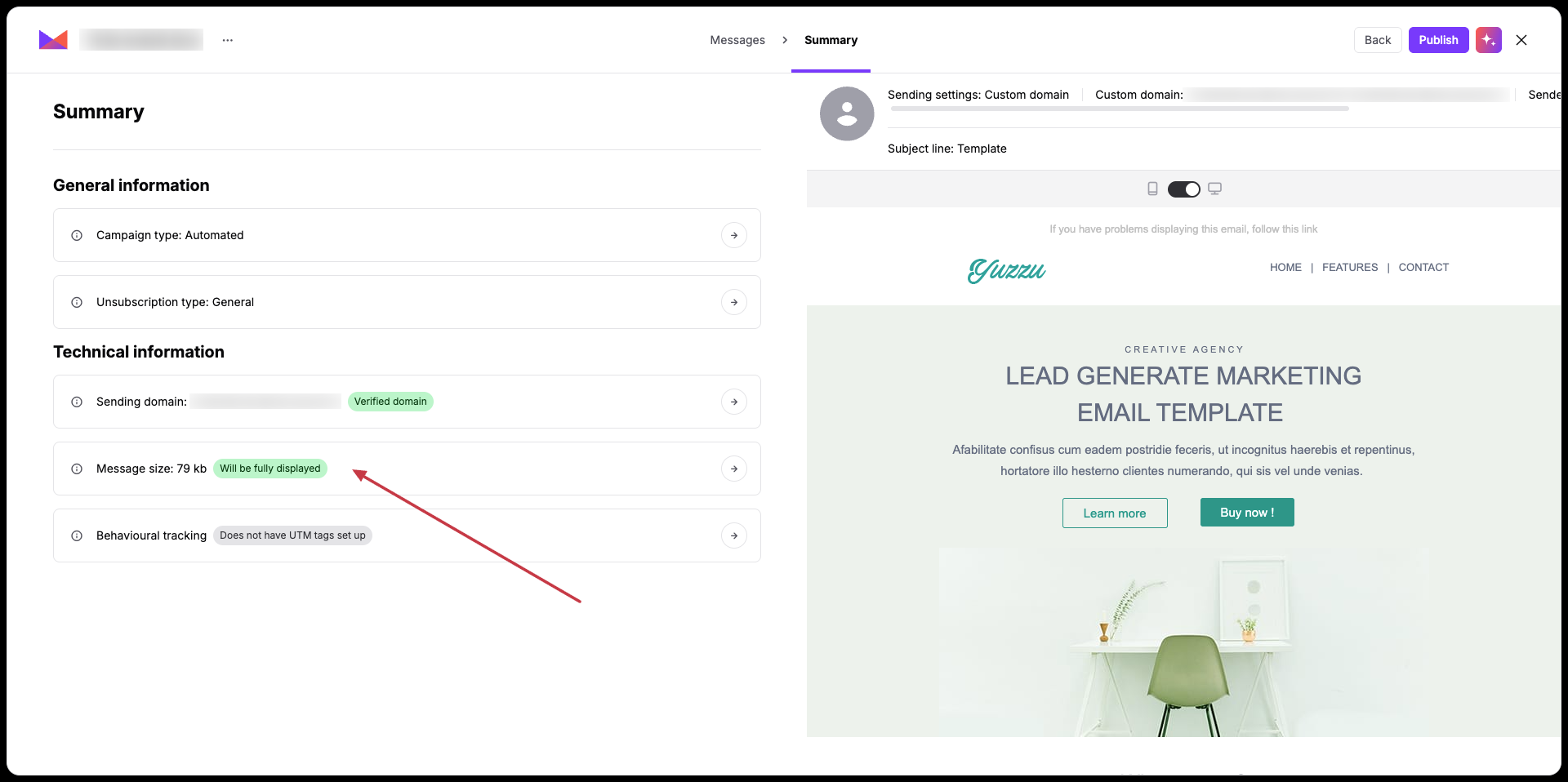
When you send an email campaign the last “Summary” step displays the final size of the email message.
Mobile Email Optimization: Light file sizes ensure your campaigns open instantly on mobile devices, even when contacts have low network signal.
High-Volume Marketing Campaigns: Keeping template code light prevents Gmail from clipping your content, ensuring contacts always see your main offer and mandatory footer links.
