Dynamic content lets you automatically personalize email messages for each recipient. Instead of sending the same static message to everyone, you can display different values depending on who the recipient is and what actions they have taken.
In Positive User, dynamic content renders real data in emails when the message is delivered. This data can come from objects’ attributes or from events recorded on the contact profile.
If you are just getting started, think of dynamic content as “smart placeholders” in your email. They are replaced with actual values for each recipient, making your communication more relevant without creating multiple versions of the same message.
Check our “What is Dynamic Content” article.
Dynamic content is any part of an email that changes depending on the recipient. It allows you to use stored data to personalize messages automatically.
You can use dynamic content to:
Address contacts by name
Show subscription or account details
Display summaries of recent actions
Include transactional or activity-based information
Dynamic content helps you increase engagement and relevance while saving time. You create one email message, and Positive User adjusts the content for each contact automatically.
The simplest form of dynamic content is based on contact attributes.
Example:
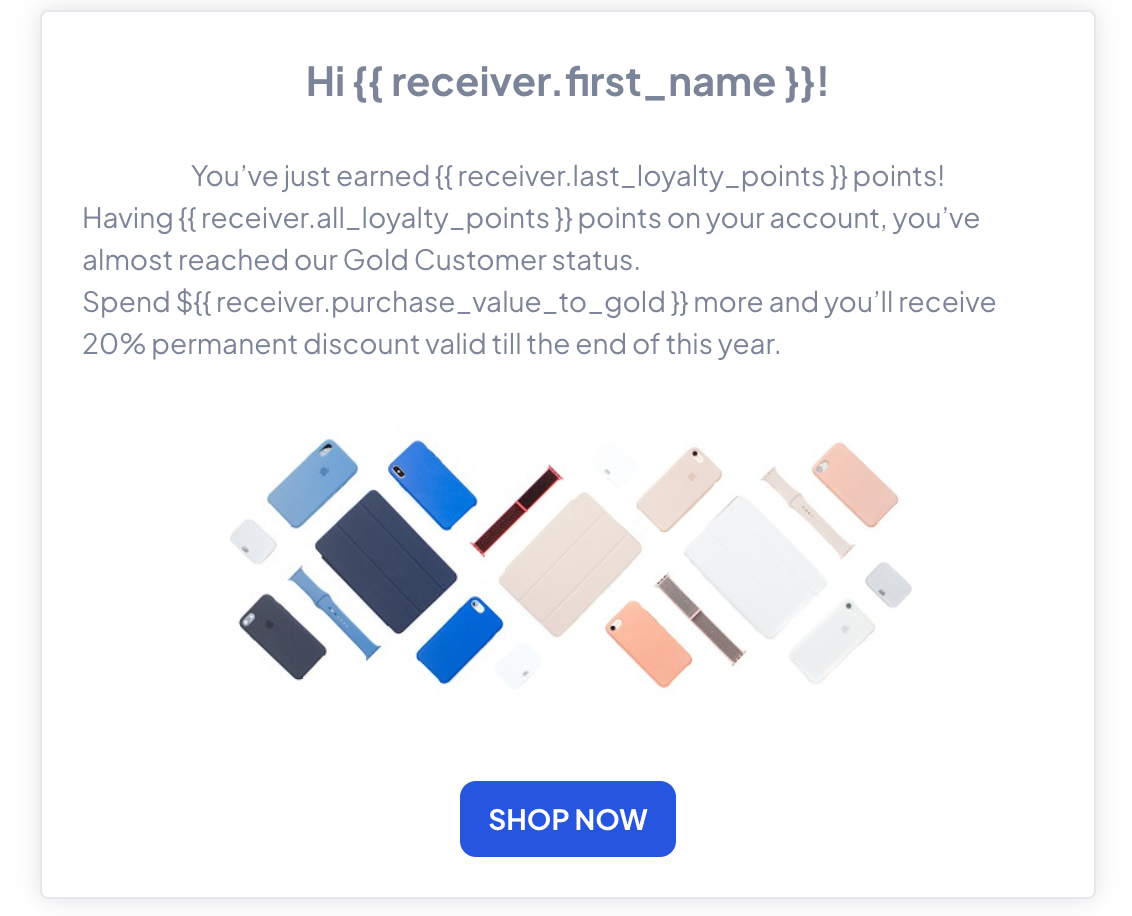
Hi {{ receiver.first_name }}!
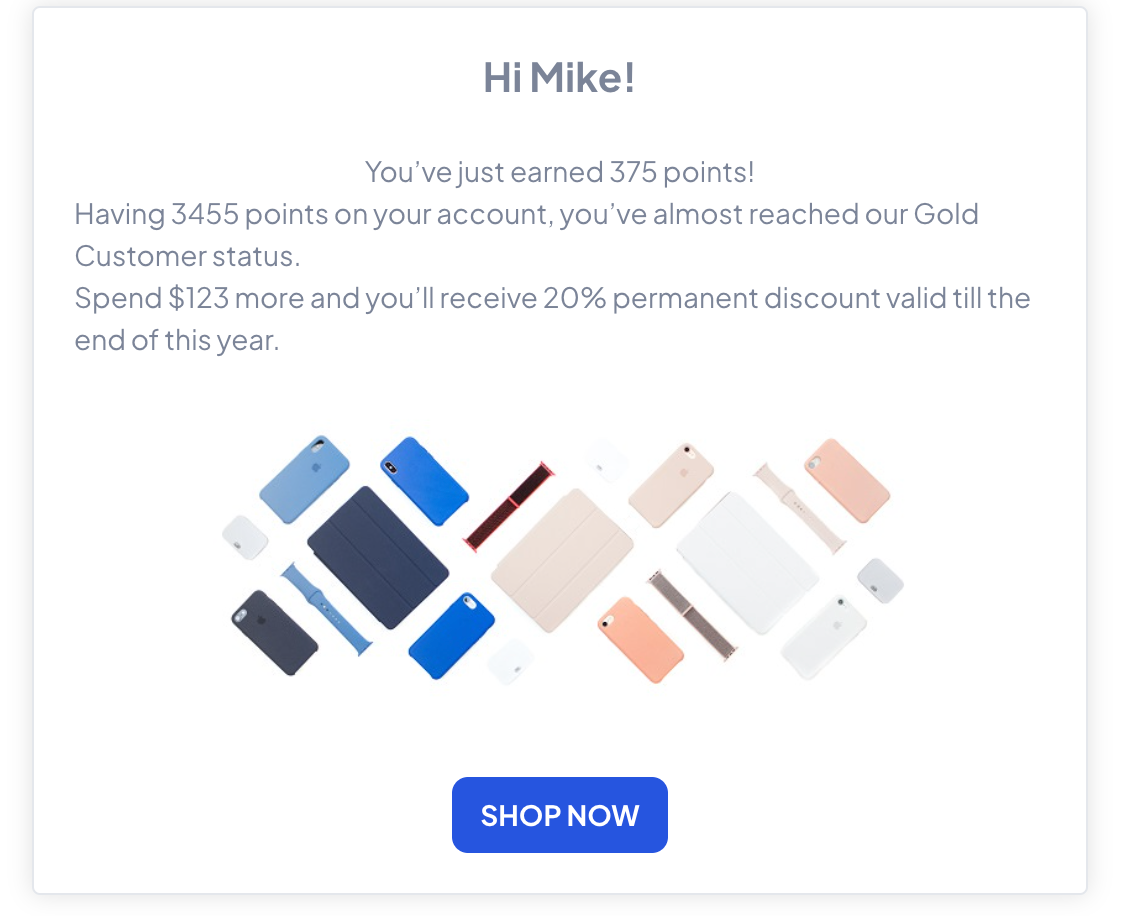
When the email is delivered, the variable is replaced with the contact’s first name.
This is an example of what you will see in the editor:
This is the end result of dynamically rendered content which a receiver will see:
If an attribute may be empty, it is recommended to define a fallback value:
Hello {{ receiver.first_name|default:"Friend" }}
This ensures your message always looks natural, even when some data is missing.

While contact attributes describe who the contact is, events describe what the contact does.
Event-based dynamic content allows you to display details of actions performed by a contact, such as:
Purchases
Payments
Loyalty point collection
Other tracked activities
This type of personalization is especially useful for summaries, confirmations, and automated follow-ups.
If you are not familiar with events yet, start with the introductory article explaining “What Is an Event”.
More details about event data rendering in emails can be found in “How to Use Event Data in Emails”. [LINK]
To use event data in an email, you first need to choose which event and which attributes should be rendered. Dynamic Content Generator helps you create the correct code automatically.
Go to “Studio” → “Dynamic Content” → “Event”.
There you find:
A list of all events available in your workspace
Attributes sent with each event
After selecting an event, you can decide which attributes you want to include in the email. Unnecessary attributes can be removed to keep the message clear and readable.
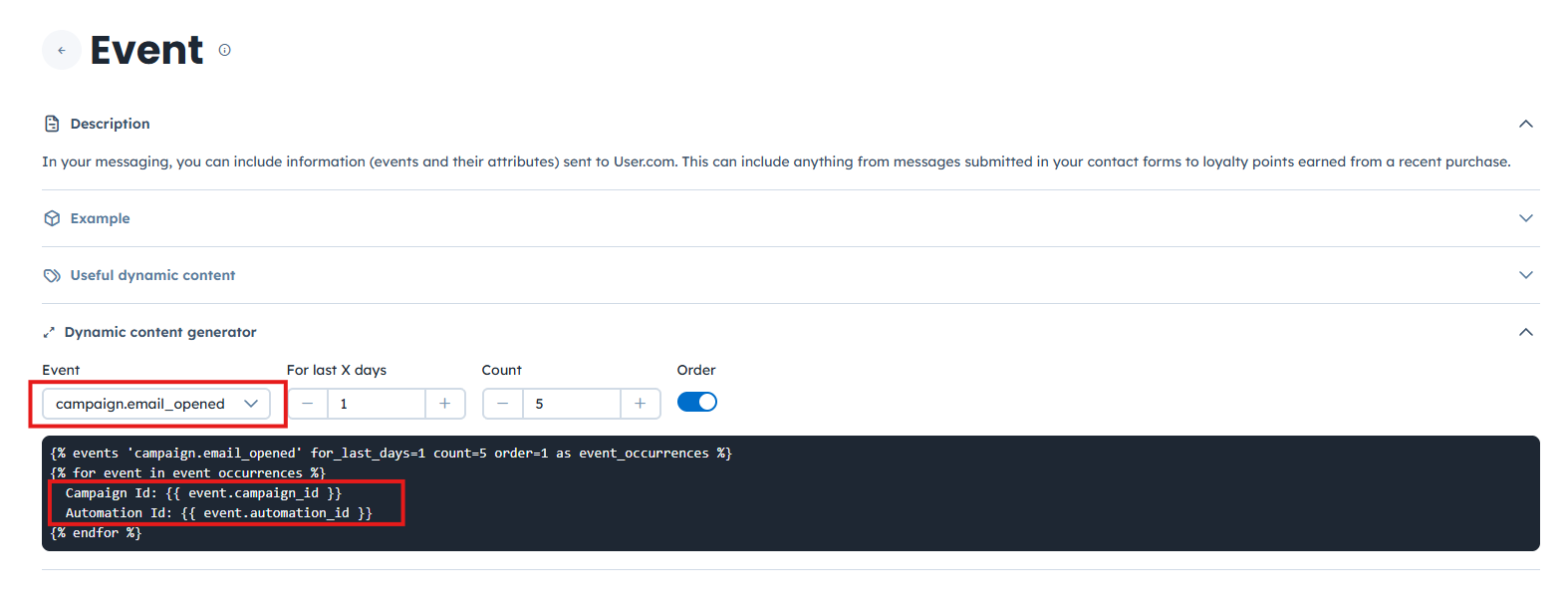
When using event-based dynamic content, it is important to understand that it always consists of three logical parts:
Opening the event loop – this part defines which events will be used
Displaying event attributes – this is where you decide what data from the event will be shown
Closing the loop – this part ends the dynamic content structure
Example:
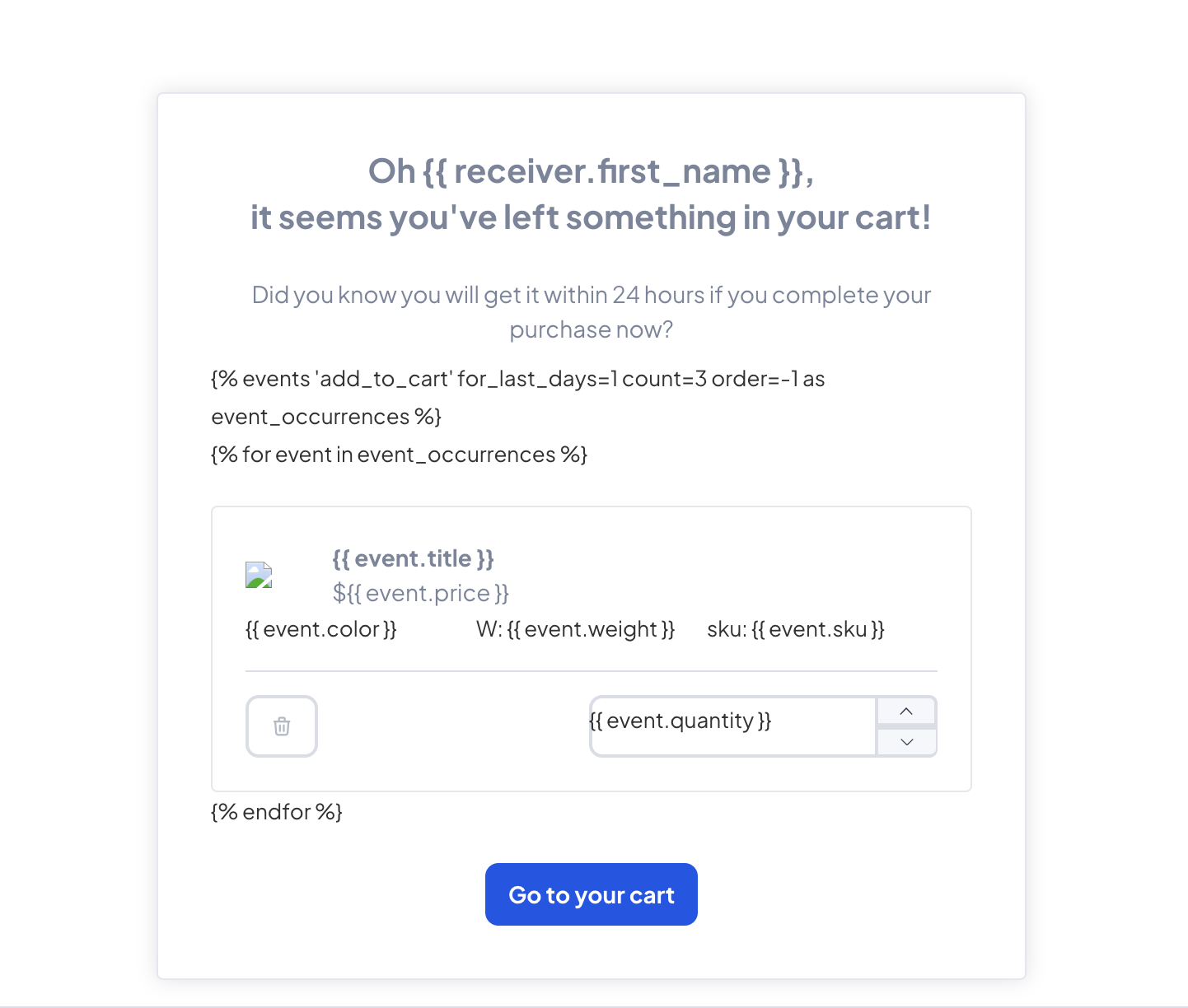
Beyond basic profile details and events, your team can pull data from several other areas within your "Workspace". The "Dynamic Content" menu offers specialized options to help you build more complex messages:
"Company" & "Deal": Pull in B2B details or specific sales information.
"Product" & "Product Event": Show specific items a contact viewed or purchased.
"Product recommendation widgets": Automatically suggest new items based on a contact's history.
"Task": Render details about specific team assignments or completed tasks.
"Email campaign": Reference data from previous campaigns the contact interacted with.
Abandoned Cart Recovery: Your team can automatically list the exact products a contact left in their shopping basket. By pulling data from the last product event, the email shows the specific images and prices of the items, helping the contact finish their purchase.
Behavioral Milestones: Celebrate when a contact reaches a new loyalty tier or completes a specific number of tasks. Use dynamic attributes to display their current point balance and the specific action that triggered their reward, making the achievement feel personal.
Personalized Content Recommendations: Send newsletters that feel relevant to each person's unique interests. Use "Product Recommendation Widgets" to automatically populate a section of your email with articles or items that match the contact's previous browsing behavior.
