In Positive User, sharing files with your email recipients is done differently than in a personal email account. An option to add direct attachments to mass email campaigns is not recommended for professional email marketing because it often leads to deliverability issues. Instead, you can host your files in the "Media library" or on your custom servers and include a link within your message. This ensures your emails are delivered reliably.
Sending files as direct attachments is often flagged as a high-risk activity by email service providers. To help your emails land in the inbox rather than the spam folder, consider these factors:
Spam Alerts and Suspicion: Email providers are wary of messages with attachments because spammers frequently use them to hide malicious code. This can damage your sender reputation.
Email Weight Limits: Large attachments can cause your email to exceed size limits (often around 102KB for Gmail clipping), leading to your campaign being blocked or rejected.
Inbox Storage: Large files occupy significant space in a contact's inbox. If a recipient's storage is full, your email will bounce.
Lack of Tracking: You cannot see who opened a direct attachment. By using a link, you can track exactly which contacts clicked to view your file.
Intrusion: Recipients who are not expecting a file may perceive a direct attachment as intrusive or a security risk.
The most effective way to share a document with Positive User is to host it in your Media Library and link it to a button or a piece of text.
Upload your file to the Media library. Go to "Studio" → "Media library" and upload your PDF.
Once the file is uploaded, copy the direct URL provided by Positive User.
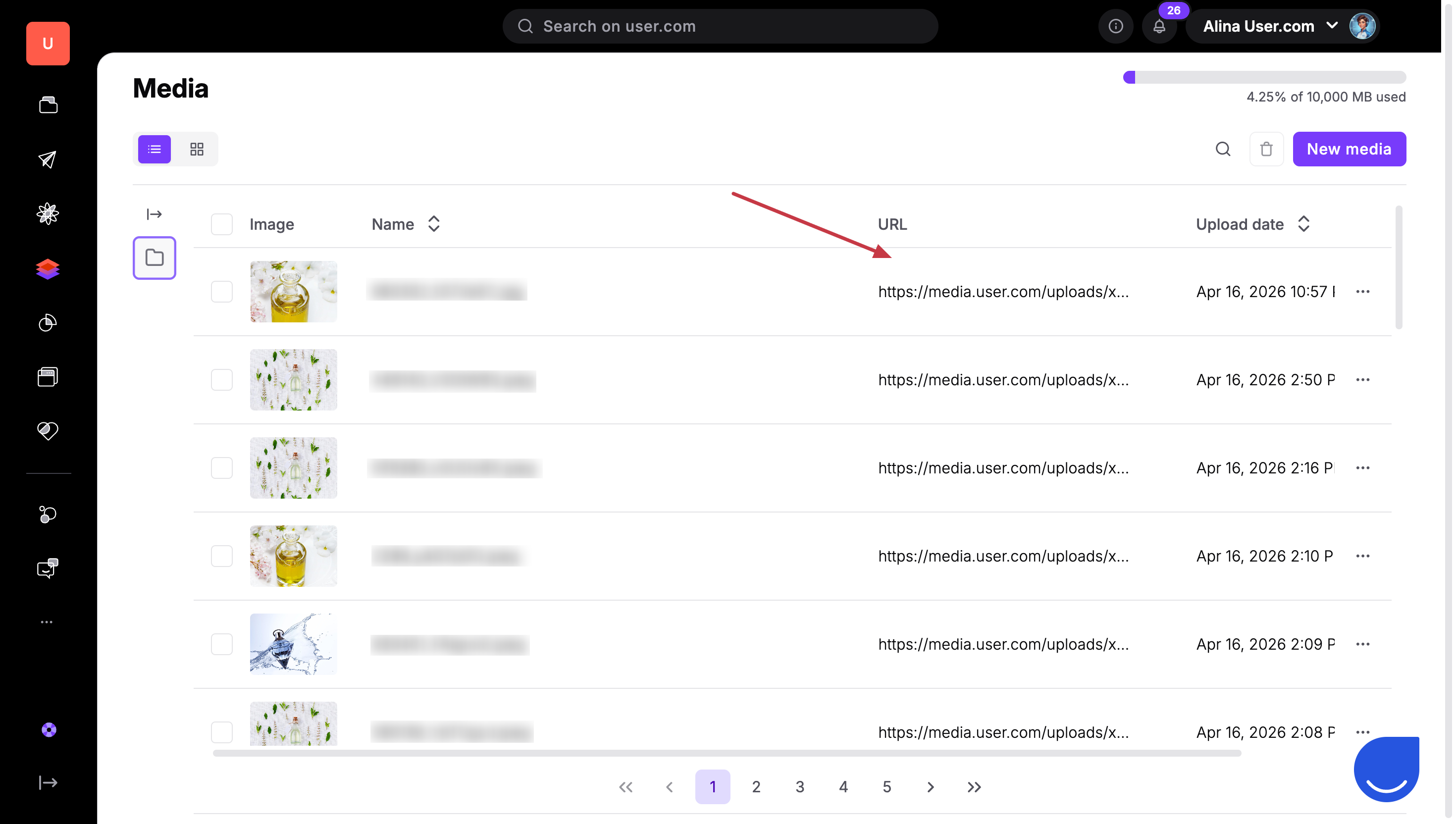
Add the link to your email message. Open your message in the editor, select a button or highlight text, then paste the URL into the link field.
Always test your links in a test send to ensure the file opens correctly for your contacts before launching the full campaign.

When naming your files in the "Media library", use clear and professional names. Your contacts will see this filename in their browser tab or download folder when they click the link. Avoid using spaces or special characters in filenames to ensure the links work perfectly across all browsers.
Whitepapers and E-books: Instead of a bulky PDF, send a sleek email inviting the contact to click a button to "Download the Guide."
Price Lists or Menus: Keep your email light and fast-loading by linking to the latest version of your pricing document hosted in your "Media library".
