A/B testing helps your team find out which landing page design actually works for your audience. Instead of guessing, you can run two versions simultaneously to see which one turns more anonymous contacts into loyal customers.
Creating A/B tests is essential for optimizing your marketing funnel. By showing different versions of a page to different segments of your anonymous contacts, you can identify which elements drive more sign-ups or sales. This helps your team lower acquisition costs and improve the overall performance of your campaigns.
Before starting a test, you need an initial page. Go to "Website Experience" → "Landing Pages" and click "New landing page". Design your primary version using the editor and save your changes.
Follow the steps from “How to Create a Landing Page” article.
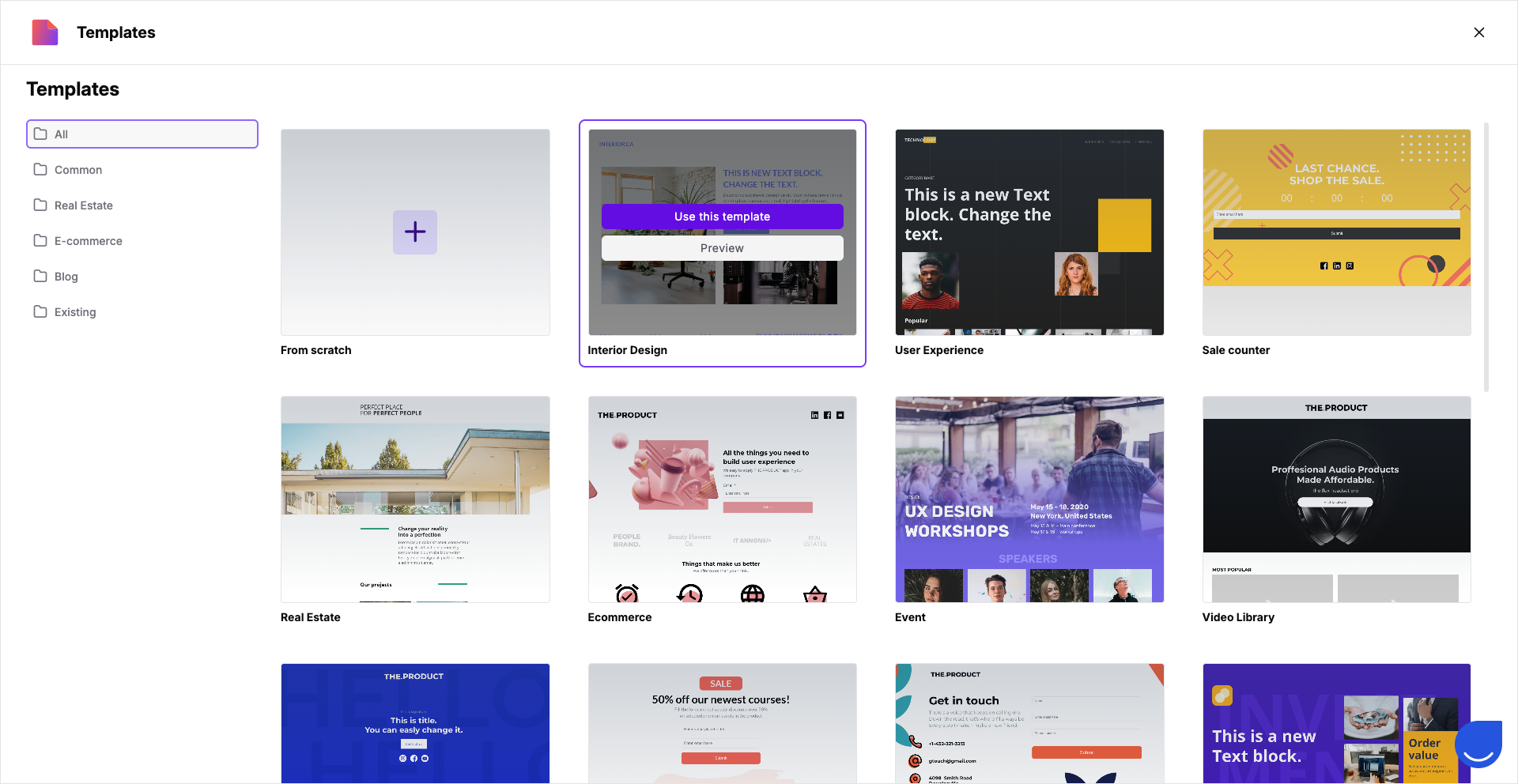
You can use one of the existing templates or start from scratch.

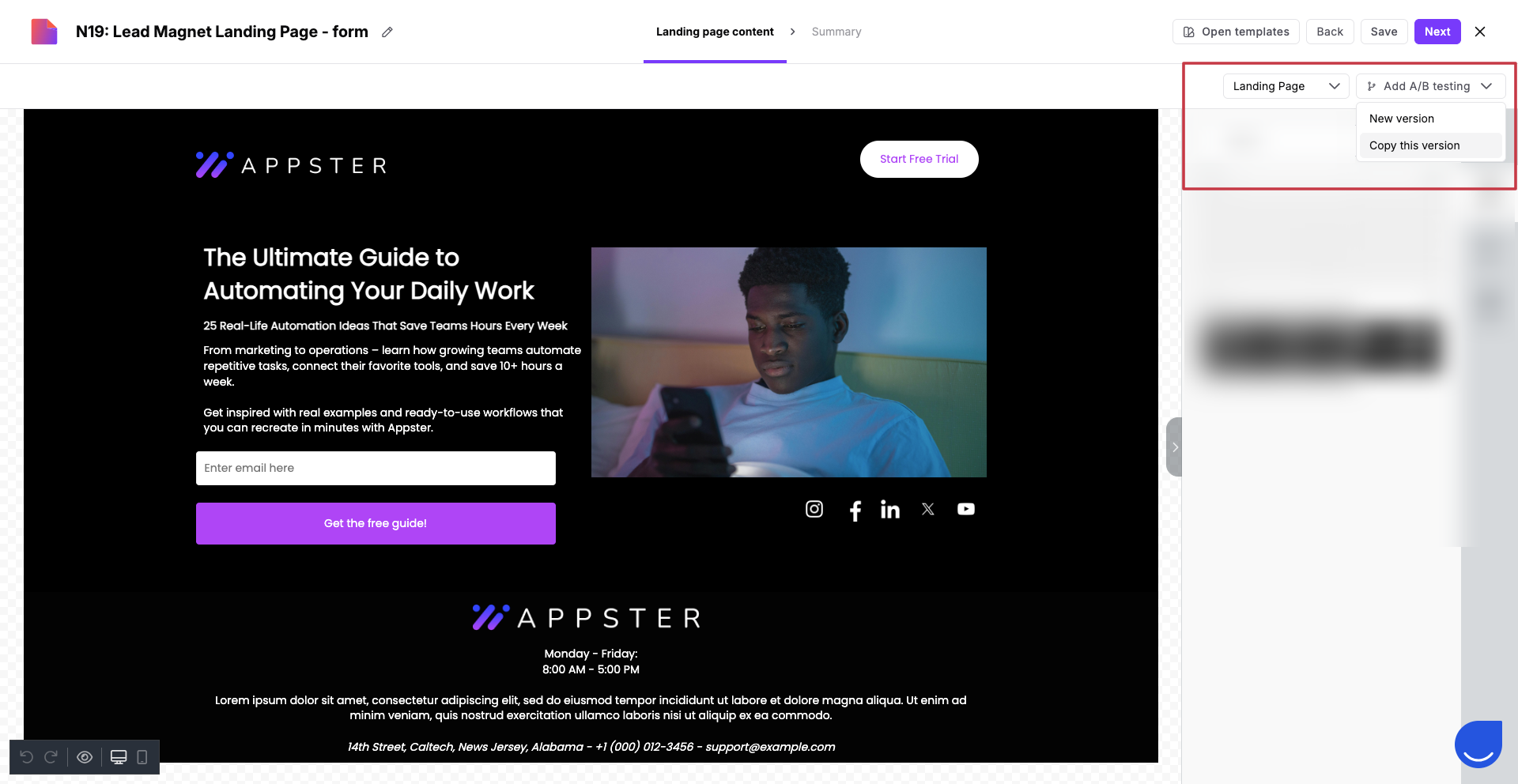
Once your first version is ready, you need a second one to test against. On the "Landing Page content" step, you can add next versions right from the editor. Find the “Add A/B testing” button in top right corner of the content builder.
You can choose between two options:
Copy this version: This creates a duplicate of your existing design, which you can then modify in the editor.
New version: This lets you pick a brand-new layout from the template library for your second version.
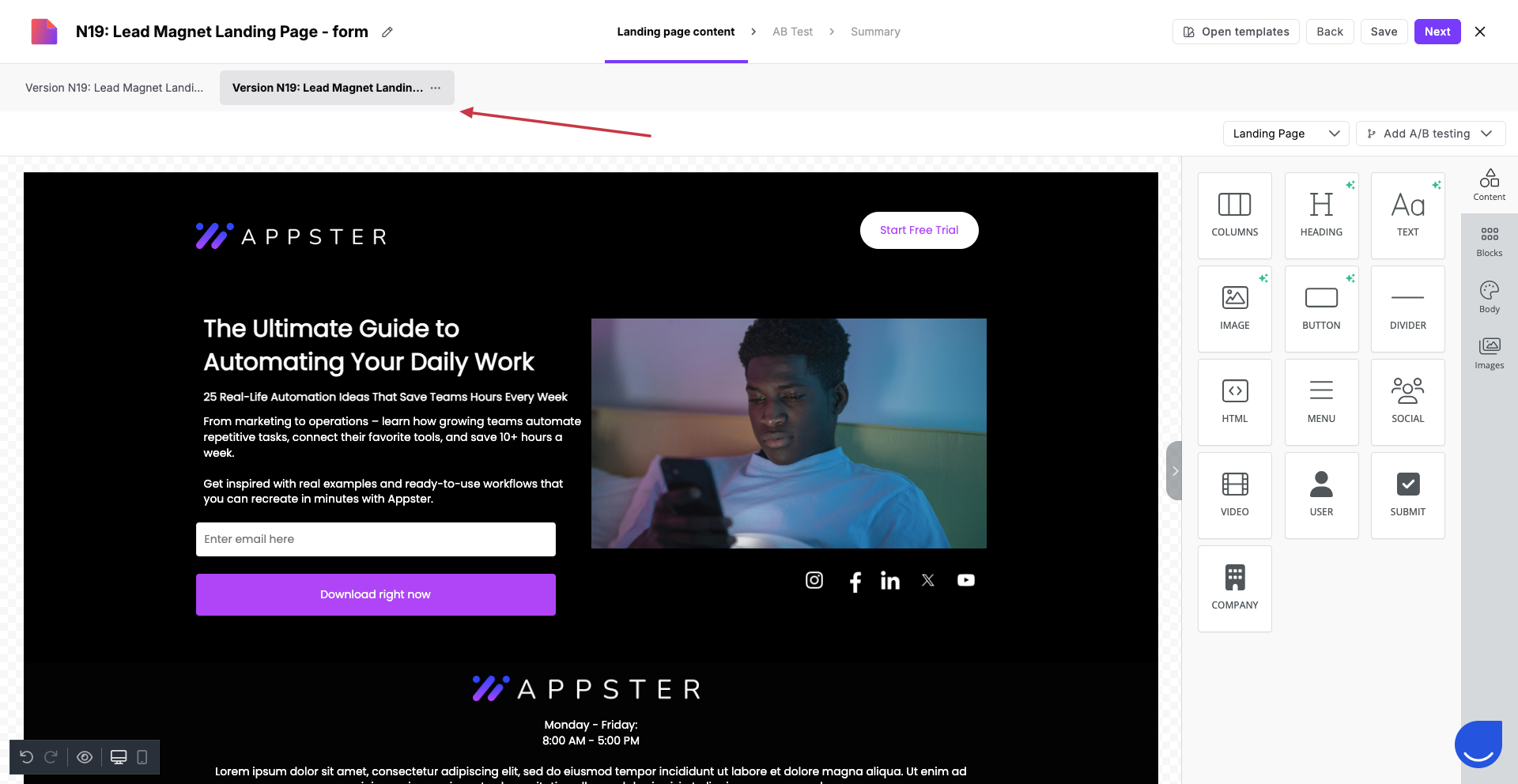
Later you can easily switch between versions:
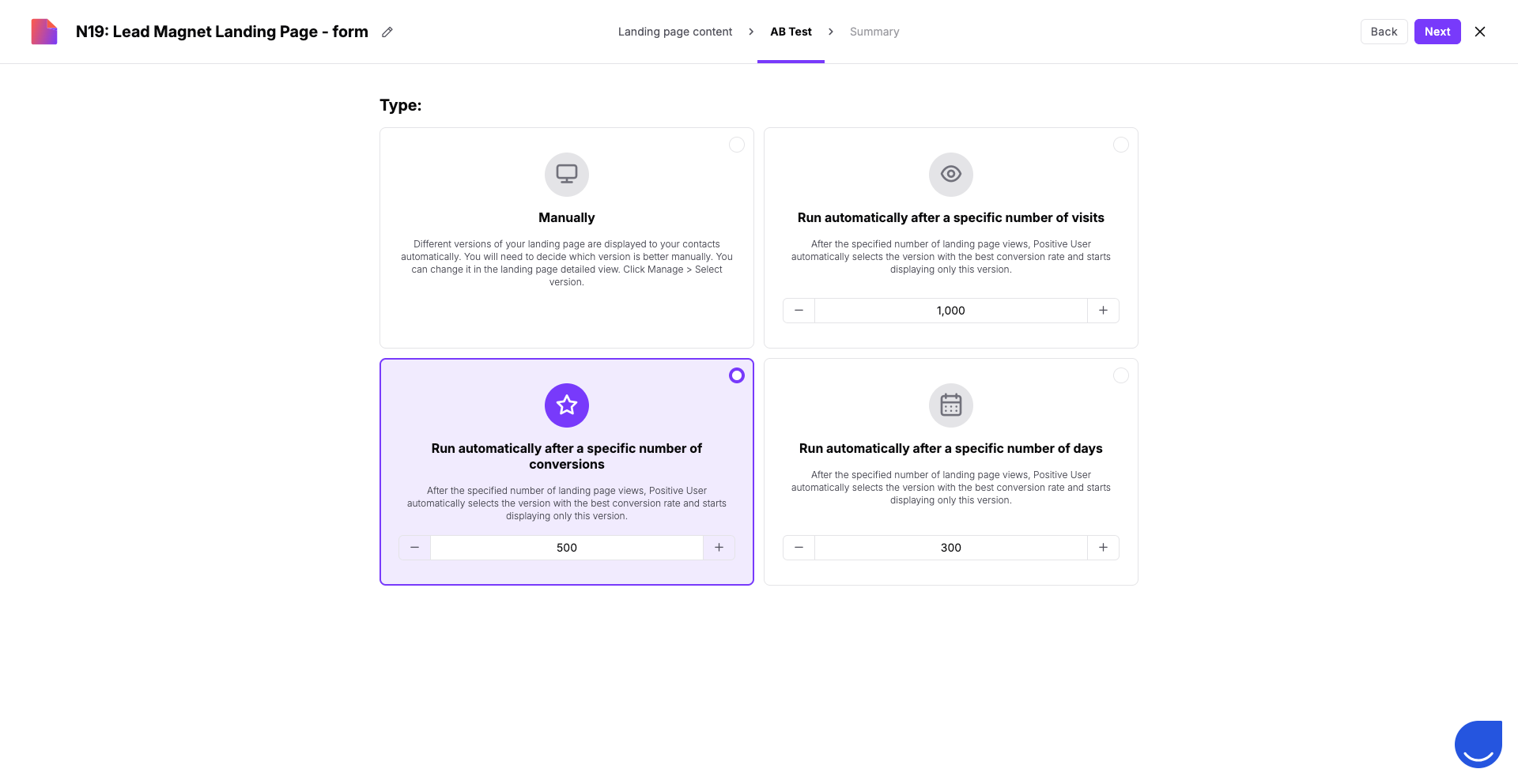
Navigate to the "A/B Test" page to decide how your test will run and how a winner will be chosen:
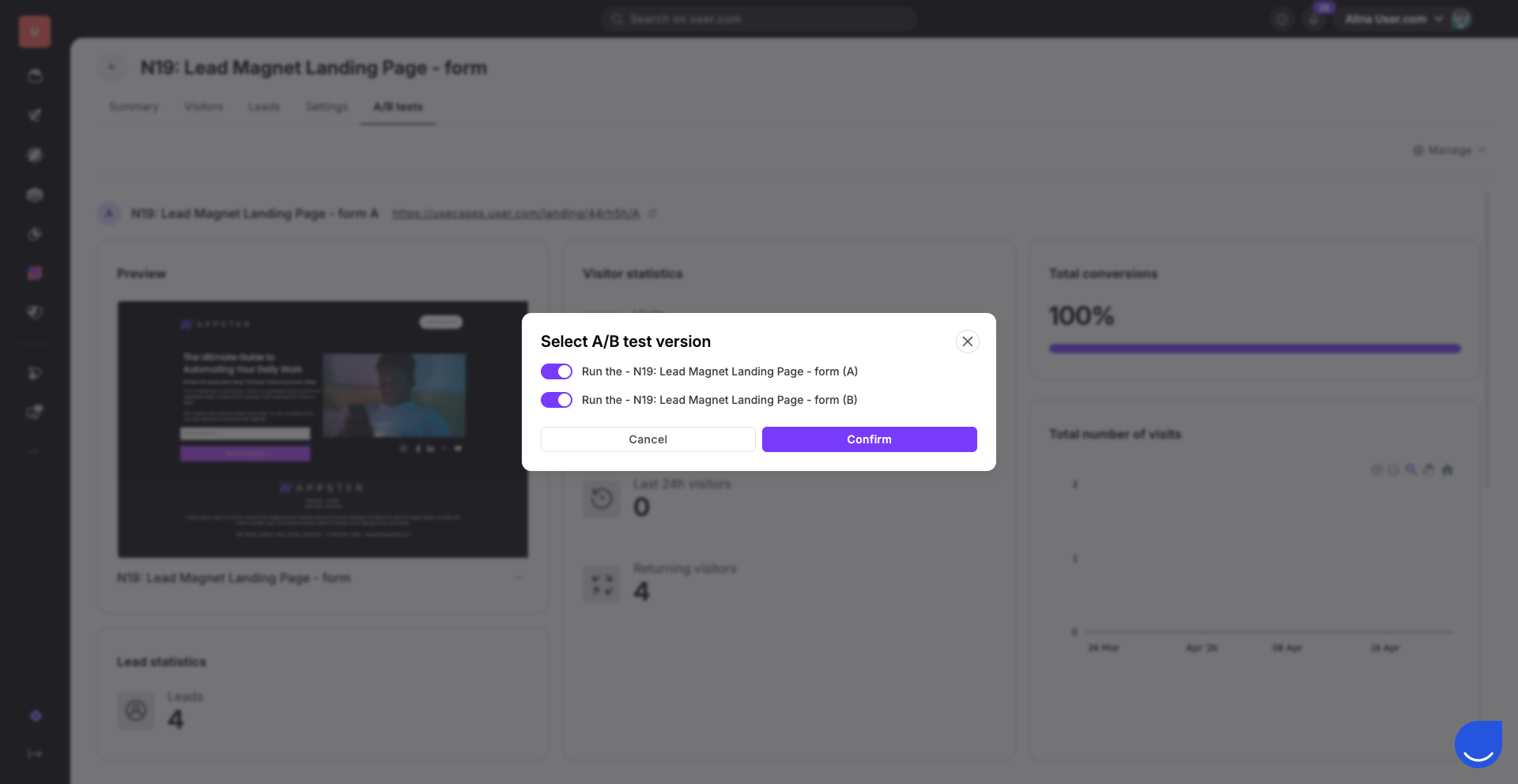
"Manually": Your team decides which version stays live and can freely change the displayed versions at any time. (LP profile → “Manage” → “Select A/B test version“)
"Run automatically after a specific number of visits": The system picks the version with the best conversion once a total traffic threshold is reached.
"Run automatically after a specific number of conversions": The system selects the best-performing version after a certain number of successful actions are completed across all versions.
"Run automatically after a specific number of days": The test ends after a set duration, and the version with the highest conversion rate is automatically selected.
Review your final setup in the "Summary" section. Remember to configure the SEO settings there.
More info about it can be found in the “How to Create a Landing Page” article.
Standardly landing pages use a basic, non-branded URL. To give your marketing content a more professional feel and align it with your existing brand, you can connect your own domain. This is easily done by adjusting a few settings with your domain provider to point it toward Positive User.
Learn how to do it in the “How to Add a Custom Domain to a Landing Page“ article.
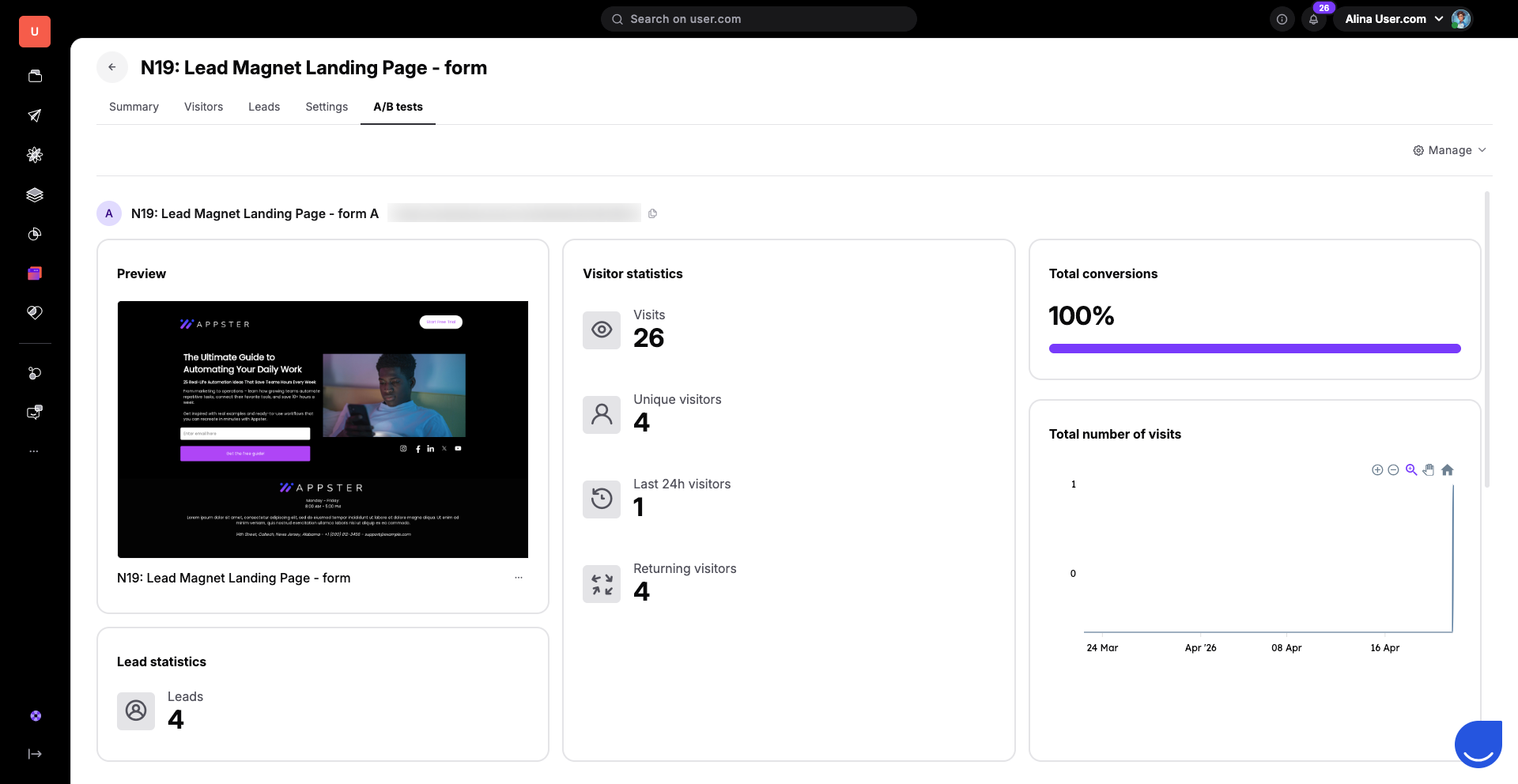
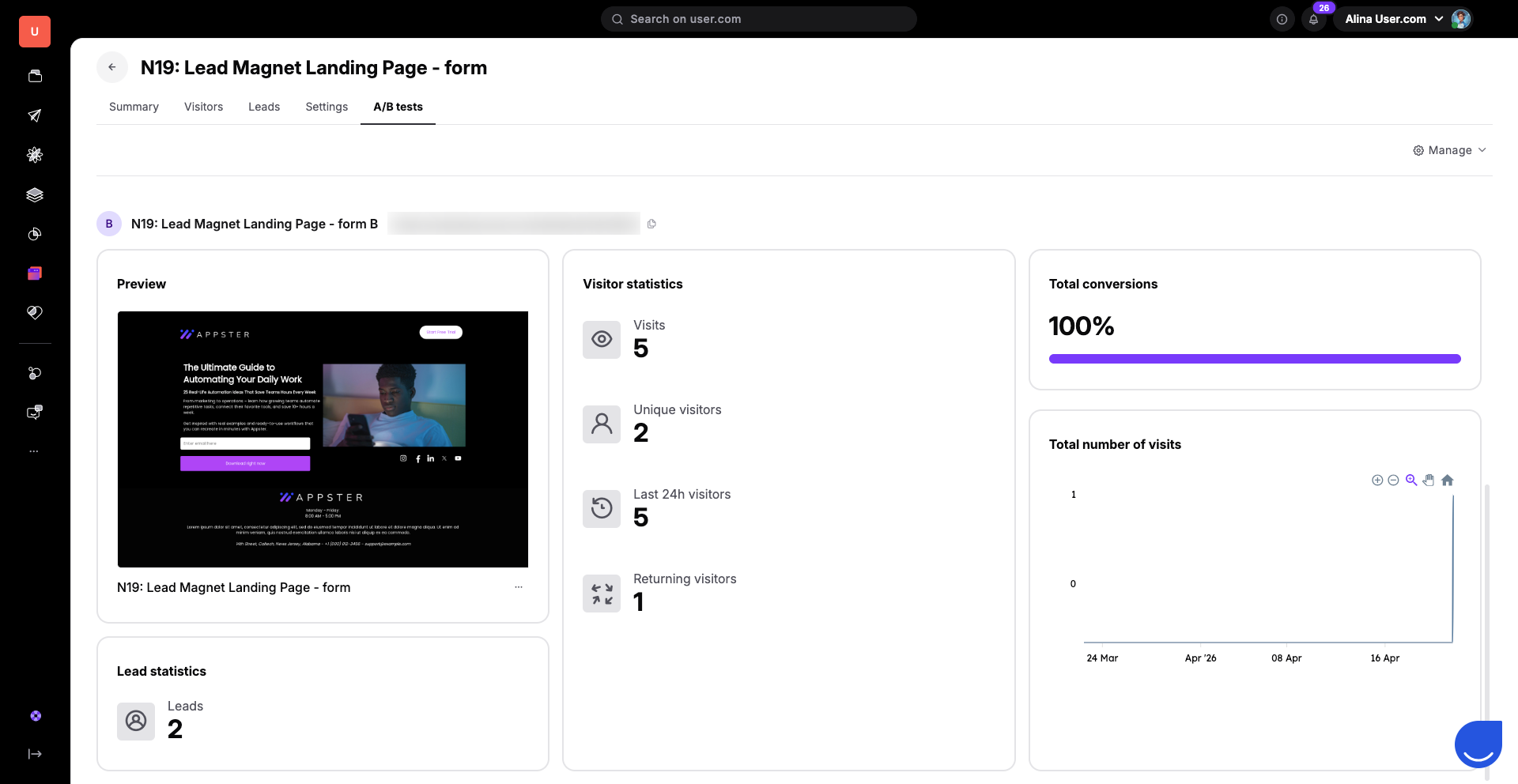
Once your test is live, your team can monitor performance in real-time to see which version effectively turns "Anonymous Contacts" into "Leads". Find the “A/B tests” section in the top panel of the landing page profile. Here, you can switch between your different versions (e.g., Version A and Version B) to compare their specific data:
"Preview": See a thumbnail of the specific design being measured to ensure you are analyzing the correct variant.
"Visitor statistics": Track "Visits", "Unique visitors", and "Returning visitors" to understand the reach of each version.
"Total conversions": This percentage shows how successful the version is at converting your audience.
"Lead statistics": See the exact number of new leads this specific version has generated.
"Total number of visits": Use the interactive graph to visualize traffic trends and spikes over time.
If you chose to run your A/B test "Manually", your team is responsible for picking the winning version once you have gathered enough data.
Within the "A/B tests" tab, review the performance of both versions. When you identify the top performer, you can manually select it as the winner. Navigate to the landing page profile → “Manage” → “Select A/B test version“.
This action will keep the winning design live and disable the second version, ensuring all future contacts only see your most effective content.
Testing Headlines: Create two versions with different titles to see which one keeps anonymous contacts on the page longer.
Button CTAs: Test if "Get Started" performs better than "Sign Up" to help your team drive more conversions.
Visual Layouts: Compare a page with a video background against one with a static image to see which design better engages your audience.
