In Positive User, you can trigger actions based on dates that haven't happened yet, such as wedding anniversaries, subscription renewals, or event start dates. This allows you to build sophisticated reminder sequences that keep your contacts engaged leading up to a big day.
By using negative numbers within your filters, you can effectively "look forward" into the future rather than looking back at historical data.
How it Works
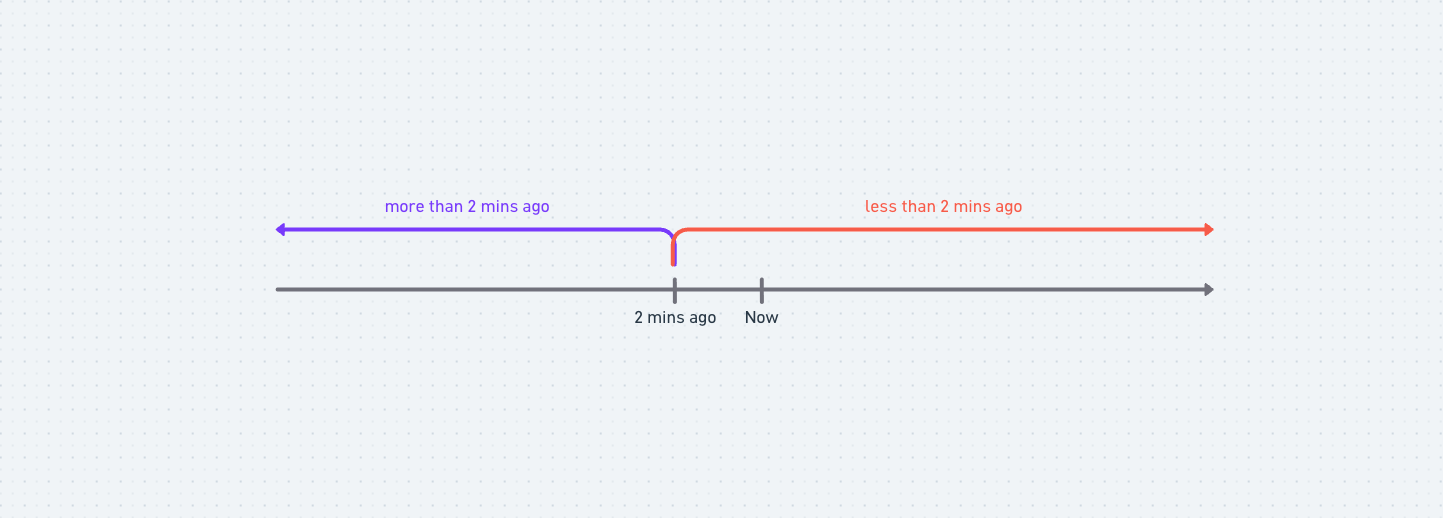
Understanding how Positive User handles time logic is key to mastering future-based automations. Every date filter functions as a ray on a timeline.
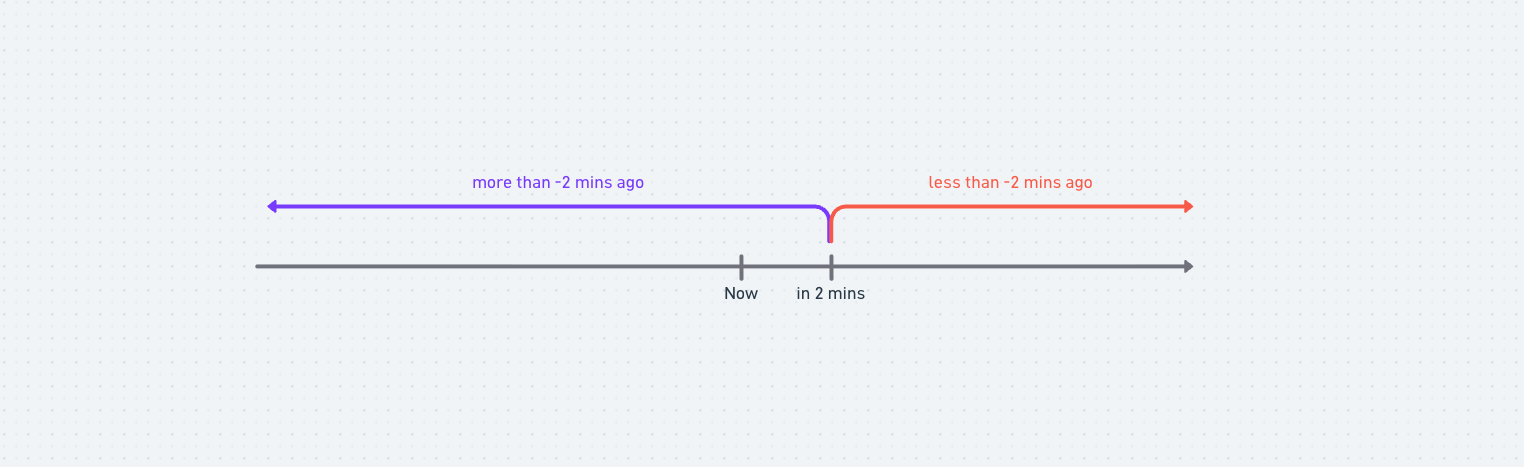
The Starting Point: The value you enter determines the point on the line. Positive numbers represent the past, while negative numbers represent the future.
The Direction: "More than" points the ray toward the past, while "Less than" points the ray toward the future.
The Segment: To target a specific window (like a single day), you must combine two rays using the "AND" operator to create a closed segment.
Use Cases
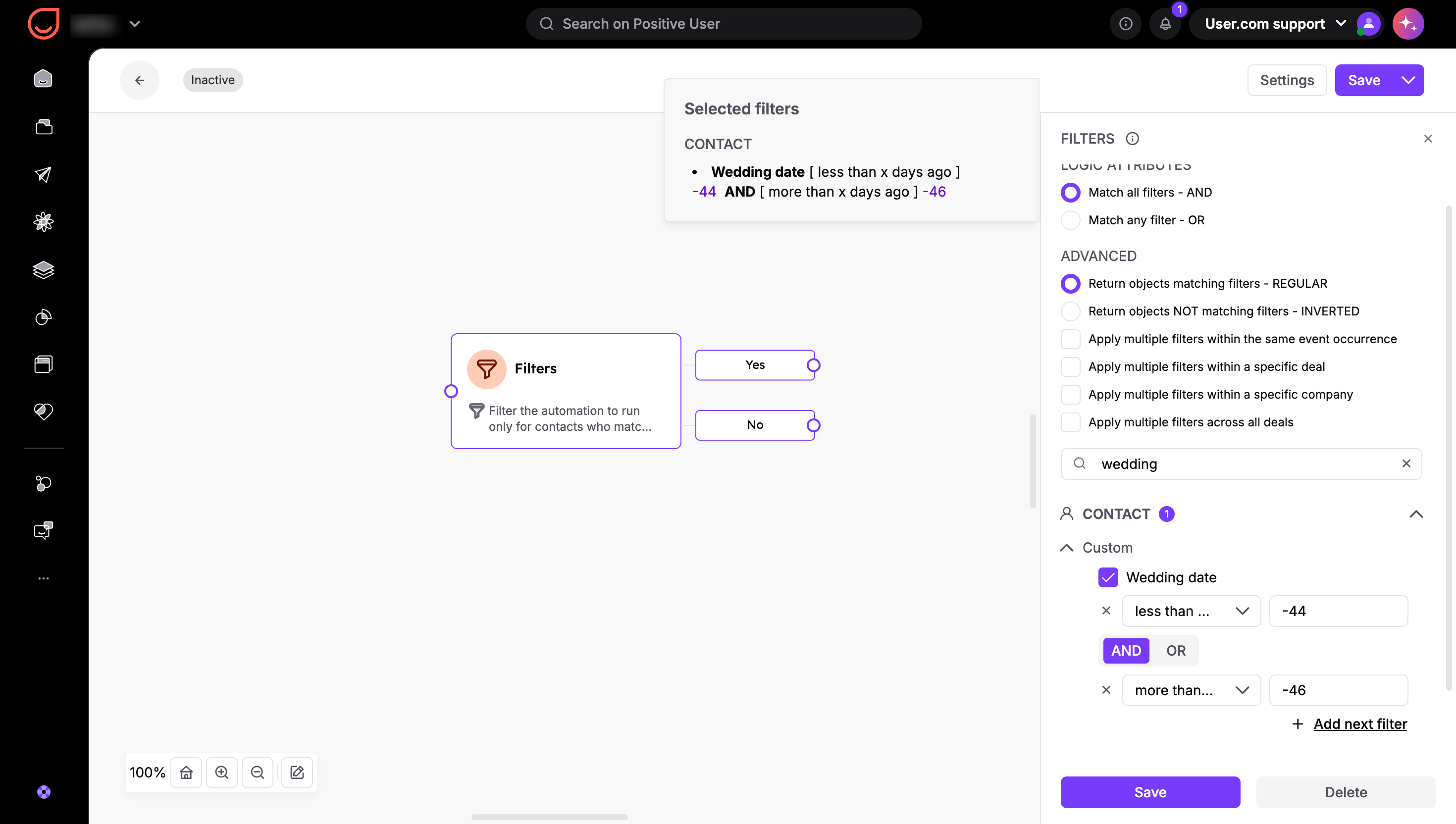
Let’s imagine you need to send an email campaign to the users of your service have a wedding day in 45 days. In the "Filters" section or if you trigger or a "Filter" module in the automations, select your date-based attribute (e.g., "Wedding date"). To target a date in the future, you must enter a negative number in the value field.
To find a date 45 days in the future, set one filter to "Less than x days ago" with a value of -44, then set a second filter to "More than x days ago" with a value of -46.