Your team can reach out to contacts one-on-one when a mass campaign isn't necessary. This helps you maintain a personal connection by sending timely updates or individual follow-ups.
Before you start, ensure you have:
a connected SMS provider (“How to Choose an SMS Provider”)
a valid phone number for the chosen contact
SMS marketing consent (for marketing SMS)
Open the Quick Message Menu.
Go to the "Contacts" section and open a specific contact profile. In the top right corner, click the "Quick Message" button and select "SMS".
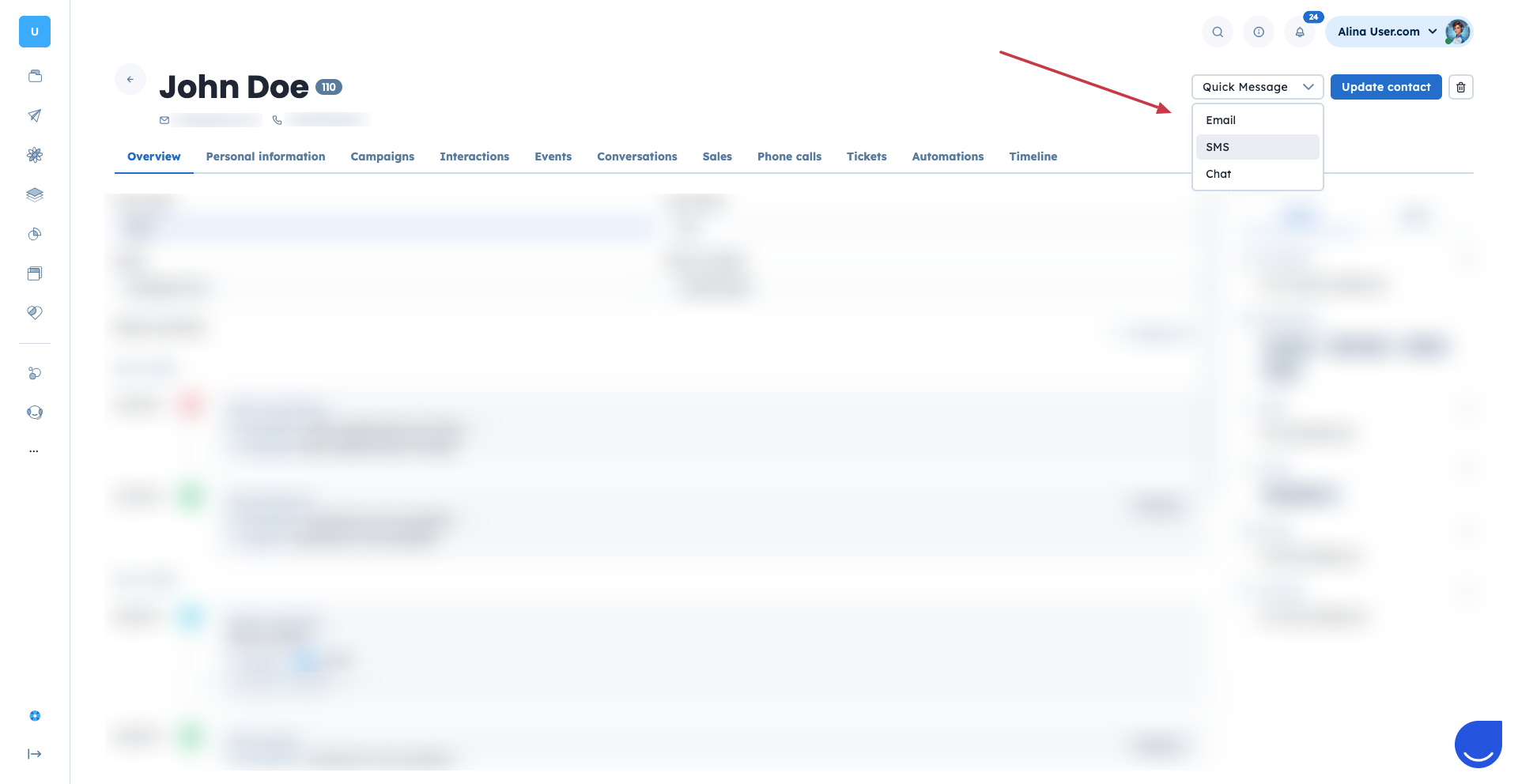
Open the SMS Composer.
A pop-up window will appear with the SMS composer. Type your message directly into the text field.
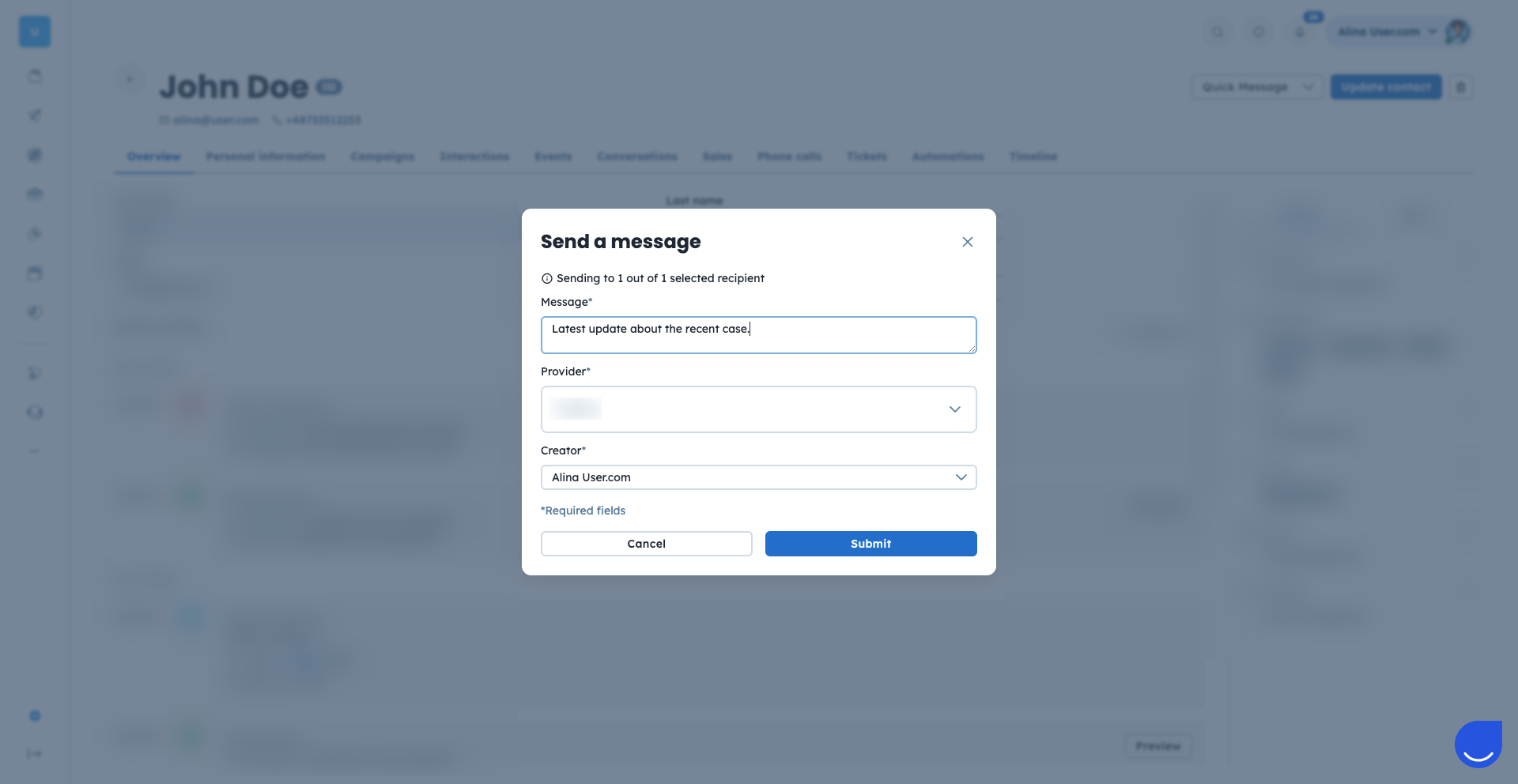
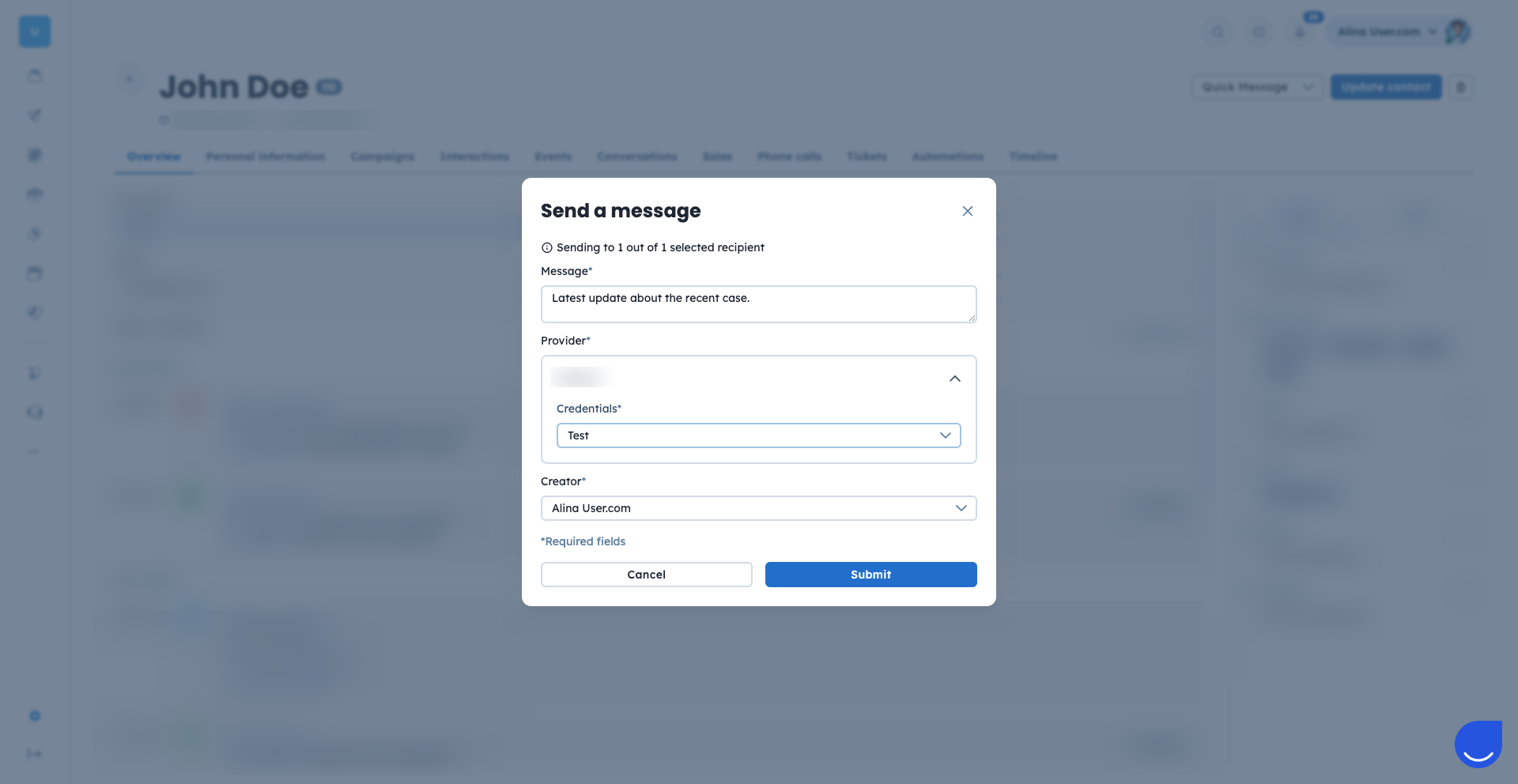
Select Provider and Creator.
Choose your preferred SMS provider and the phone number you wish to send from. You can also select the "Creator" for this message to keep your internal records accurate.
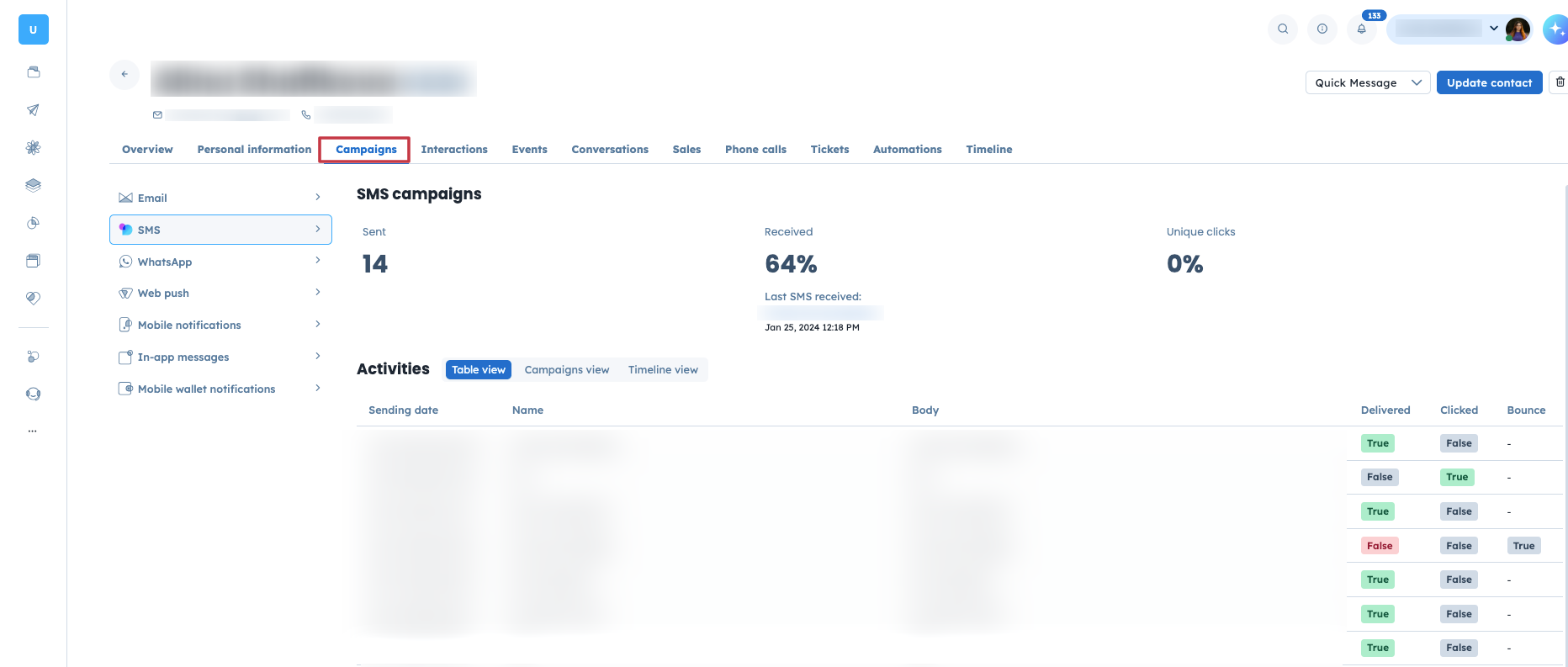
Verify the Sent Message.
Your sent message will be recorded in the contact's history. You can find it by going to the "Campaigns" → "SMS" section of their profile.
Sales Follow-up: Reach out to a potential customer immediately after they show interest in a specific product.
Support Updates: Provide a quick, personal update to a contact regarding their "Support Tickets" or a recent "Task".
Ensure your message fits within the character limits of your SMS provider to avoid extra costs or split messages.
