Efficient automation refers to the practice of building workflows that minimize server load and processing time. In Positive User, this means using specific modules in a way that allows the system to process data as quickly as possible.
Building your automation workflows with system efficiency in mind ensures that your messages reach your audience on time and your workspace remains responsive.
Automations in Positive User are flexible, meaning you can often achieve the same result in several different ways. However, choosing the most optimal path prevents infrastructure overload and ensures that large-scale campaigns execute without delays. This approach is essential for any team looking to scale their communication without sacrificing performance.
Below are the most common situations you may encounter with automation performance and how to resolve them.
Challenge: Sending emails to a large group (e.g., 500,000 contacts) via an automation is taking a long time to complete.
Solution: For mass communication, the one-time campaigns are significantly faster than automations. Instead of building a flow, go to "Campaigns" → "Email" and click "New Campaign". This ensures that filters are recalculated right before sending so your audience is always up-to-date.
Check “How to Create a One-Time Email Campaign” guide.
Challenge: The system is processing thousands of contacts that eventually get excluded by a filter, slowing down the automation.
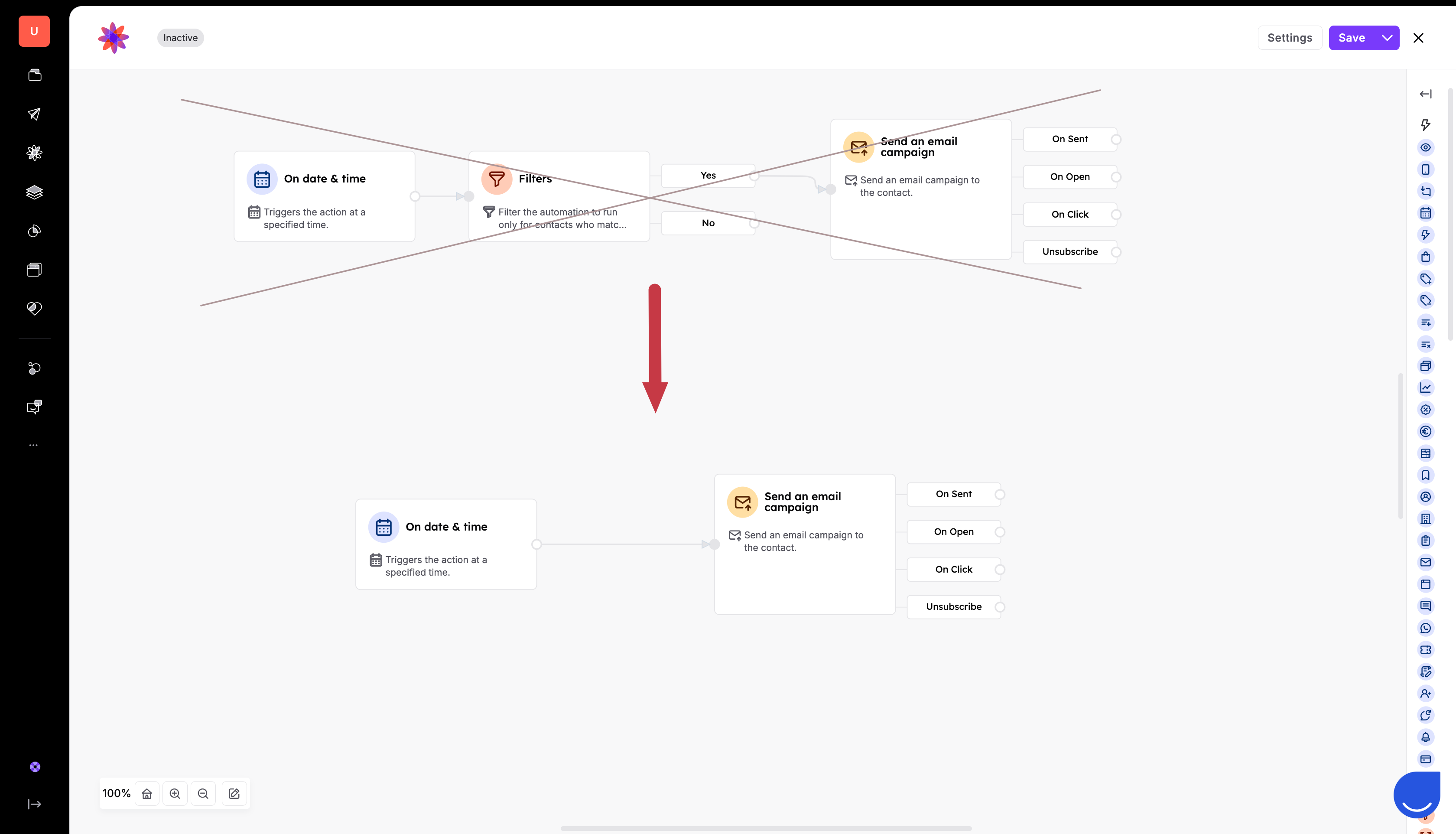
Solution: Your trigger is likely too broad. Instead of using a general "On Date & Time" trigger followed by a filter block for exclusions, move all possible conditions and exclusions directly into the trigger settings. This prevents the system from starting the automation for contacts who should not be included. The same can be applied to other triggers: “Page Visit” trigger can be limited by specific links or at least parts of the links and “Event” trigger can be even more precise with the event attribute filters in it.
Challenge: The automation takes several seconds to process each contact.
Solution: The filter block can be slow because it calculates data in real-time. Replace the filter block with a segment block for repetitive groups of contacts. Segments use cached data that recalculates every few hours, allowing the automation to execute in just a few milliseconds. Go to “Data” → “Contacts” and create a segment based o the filters that you often use in the automations (or the one that will be used in a long-lasting automation flow). Then get back to your automation and choose this segment in filters using “exactly” filter option.
Learn more about segments from the “What is a Segment” article.
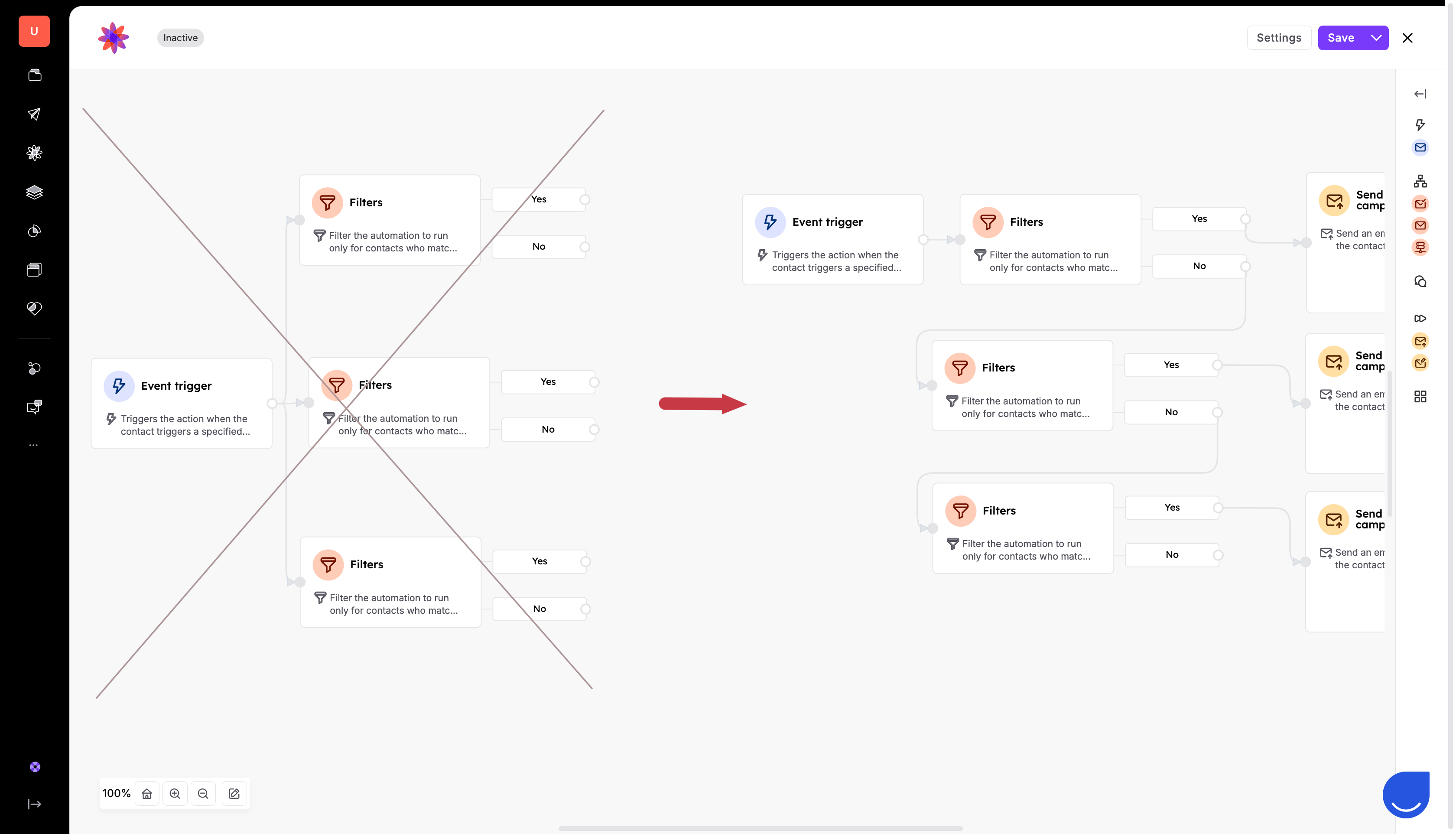
Challenge: Running several filter blocks at the same time to split your audience into different groups creates a very high number of tasks, because every contact is checked against every filter simultaneously.
Solution: Use "cascade filtering" to take things one step at a time. Instead of creating several parallel paths, connect the "no" output of your first “Filter” block to the start of the next “Filter” block. This way, your team can address one group, and the system only moves the remaining people to the next check. This spreads out the work and keeps the automation running quickly.