To ensure optimal email deliverability, stronger security, and better inbox placement, Positive User is updating its email infrastructure. Instead of relying on an external third-party provider, emails will now be sent directly from dedicated Positive User servers.
To activate this direct sending capability and authorize our new servers to send emails on your behalf, you need to update a few DNS records in your domain provider's settings. While "DNS" sounds highly technical, making these updates simply involves copying and pasting a few values.
Previously, your emails were routed through a third-party provider. Moving to direct sending from Positive User servers provides several key benefits for your domain:
Faster Delivery: Direct sending removes the middleman, meaning fewer hops between our platform and your customer's inbox.
Better Inbox Reach: Using our own dedicated infrastructure gives us total control over sender reputation, significantly reducing the chance of your emails landing in the spam folder.
Stronger Security: Direct sending allows us to implement the strictest, most modern security protocols for your brand.
To tell receiving email providers (like Gmail, Outlook, and Yahoo) that our new servers are officially authorized to carry your mail, you will need to update your domain's SPF, DKIM, and DMARC records.
To start using new email infrastructure you need to update current DNS settings in you Hosting Panel.
Add new SPF record
Add new CNAME record
Replace old DMARC with a new DMARC (This step is optional - replace only when using Positive User DMARC)
SPF allows mail servers to verify that Positive User is allowed to send emails from your domain.
Record type: TXT
Name: Usually your domain name (e.g., example.com). It may differ depending on your hosting provider.
Value: include:_spf.positivegroup.email
If your domain already has an SPF record, update its value instead of adding a second record.
Example
Current value: v=spf1 mx a include:_spf.mail03-userengage.com -all
Updated value: v=spf1 mx a include:_spf.positivegroup.email include:_spf.mail03-userengage.com -all

DKIM acts as a digital signature, proving to the receiver that the email hasn't been tampered with along the way. Since we are using new servers, we need to provide a new signature.
Record type: CNAME
Name: usercom2048._domainkey.{YOUR-DOMAIN}
Value: usercom2048._domainkey.userengage.com
DMARC tells receiving servers what to do if an email fails the SPF or DKIM checks. This strengthens your domain’s email security and ensures DMARC reports are delivered straight to your inbox.
If you already use our default DMARC record - please delete it and add a new TXT record.
Record type: TXT
Name: _dmarc.{YOUR-DOMAIN}
Value: v=DMARC1; p=quarantine; sp=reject; rua=mailto:dmarc@{YOUR-DOMAIN}
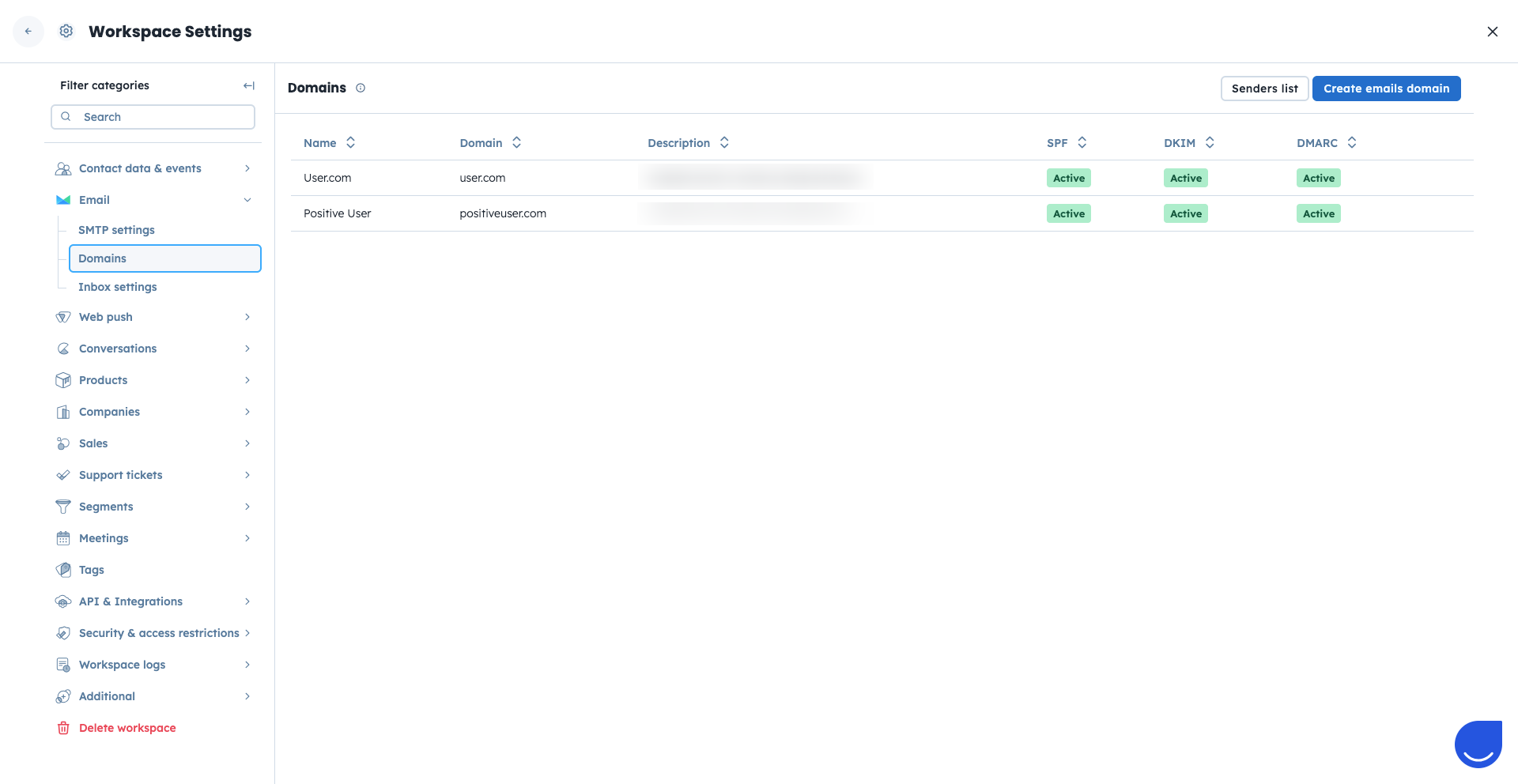
Once you have saved these changes in your domain provider, you can check your configuration status inside the Positive User app.
Go to “Settings” → “Workspace Settings“ → “Email” → “Domains”.
All DNS records which need an update are labeled as “Incomplete”. After updating your DNS, click “Validate” or wait up to 24 hours for our system to recheck it automatically. Once everything is configured correctly, the status label will switch to “Active”.