Managing a growing database usually leads to creating hundreds of filters for one-off campaigns or older projects. Over time, these unused segments continue updating in the background, slowing down system speed and cluttering your workspace. Inactive segment freezing solves this by automatically detecting unused segments and pausing their periodic recalculations, ensuring your platform stays fast and responsive without losing any contact data.
Inactive segment freezing automatically detects segments your team has not used in four weeks, giving you a notice period before pausing their background recalculations at six weeks. This keeps your database fast and efficient without deleting any filter rules or contact data. You can reactivate a paused segment at any time with a single click.
As your workspace expands, background processing power should be focused on active campaigns and current customer journeys. Inactive segment freezing gives your team complete visibility over filter usage while keeping your platform optimized.
Maintain peak workspace performance: Pausing updates for unused segments frees up system resources so your active marketing tools run smoothly.
Keep all your contact data safe: Freezing only stops background recalculation, your segment criteria, historical contact lists, and settings remain completely intact.
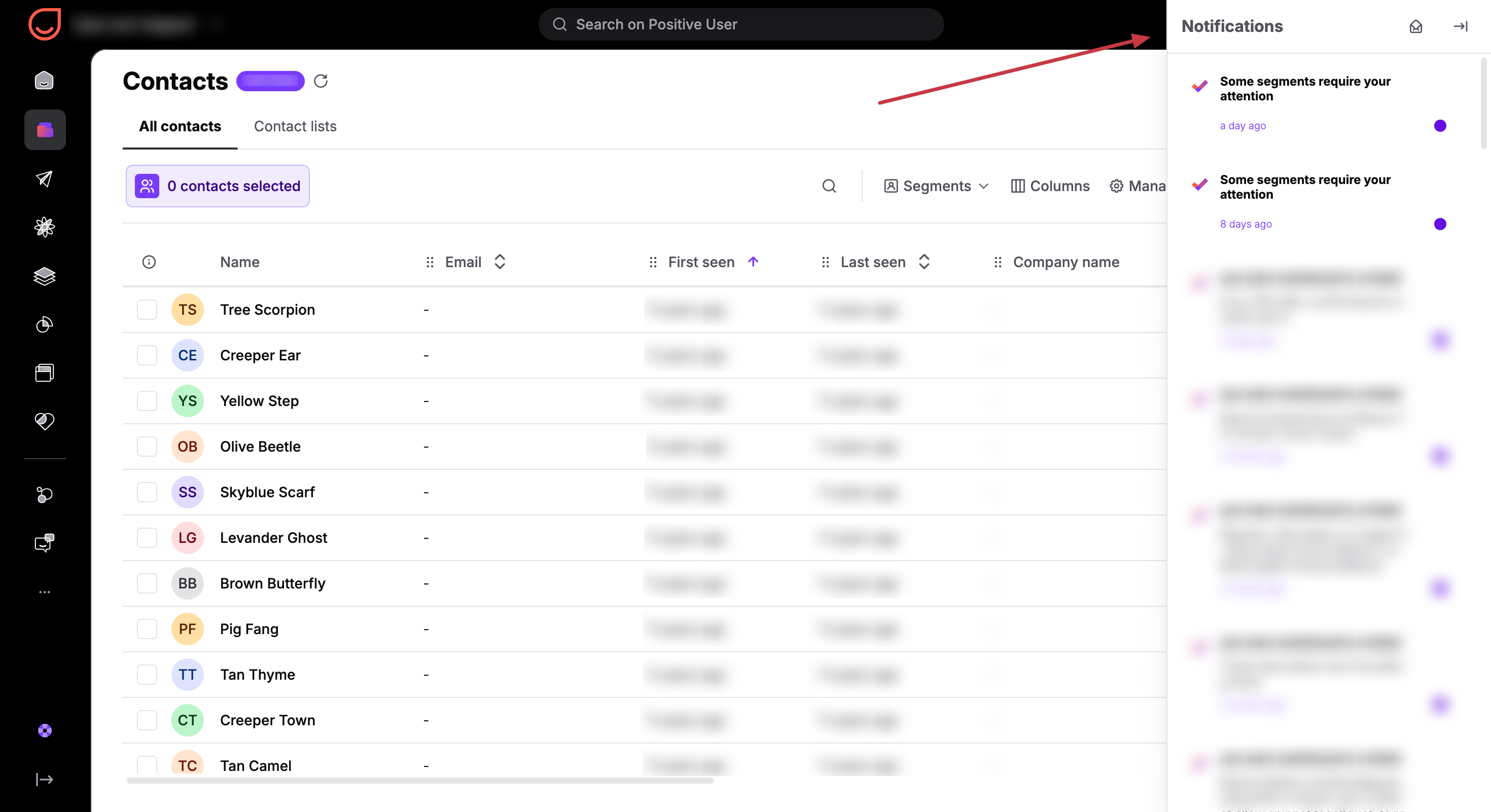
Stay informed with automatic alerts: Receive clear in-app notifications and weekly email updates two weeks before any segment pauses so you stay in control.
Reactivate instantly when needed: Easily refresh any paused segment whenever you are ready to launch a new campaign or automation.
The status column in your “Segment Management” list displays the current state of each filter.
Status Name | Description & Action | Timeline |
Active | The segment is up to date and recalculates normally on schedule. No action is required. | Ongoing |
Needs attention | The segment has not been used recently. It continues to recalculate, but will pause in two weeks unless used or reactivated. Click "Keep active" to reset the timer. | After 4 weeks of inactivity |
Too heavy | This segment is too heavy to recalculate. Usually happens with very complex filter logic on large datasets. | Ongoing |
Paused | Automatic recalculation has stopped to preserve workspace resources. Filter rules and past contact data remain safe. | After 6 weeks of inactivity |
Activity detection tracks segment usage through three distinct parameters: an automated weekly scan, real-time template checks during message rendering, and direct team interactions in the workspace.
A segment's six-week inactivity timer automatically resets whenever any of these activity check methods detect usage.
Runs every Saturday night to check the database for structural usage of segments across the platform. The timer resets if a segment is referenced in any of the following features:
Automations: Referenced in an active automation, or an automation executed within the last 6 weeks. Covered modules include: “Segment” condition module, “Filters” with segment references, “Add to segment”/”Remove from segment” action modules, “Send Code” actions containing segment template tags, “Product event” and “On Date&Time” triggers referring to segments.
Campaigns: Listed as a recipient in an active campaign, or a campaign sent within the last six weeks. Covers all 7 campaign types: Email, SMS, WhatsApp, Webpush, Push Notification, In-App Message, and Wallet Notifications. (Draft campaigns with old dates are ignored.)
Calculated Attributes: Referenced by a contact, deal, or product calculated attribute that runs on a periodic schedule or was triggered by an automation within the last 6 weeks.
Loyalty Campaigns (Points): Appears in a point campaign that is currently active or ended within the last 6 weeks, either as a participant filter (include or exclude list) or as a product purchase rule inside the campaign.
Team Member Default Segment: Set as any team member's default view for contacts, companies, deals, support tickets, products, or tasks.
Assignment Rules: Referenced in any existing assignment rule in your workspace.
Dashboard Widgets: Displayed on a visible dashboard widget, such as segment size trends, daily contact counts, or segment size comparisons.
Recommender Widgets: Referenced in the JavaScript code of an enabled recommender widget embedded on your website (disabled, archived, and draft widgets are ignored).
Default Segments: Marked as a default segment (is_default=true) in your workspace settings.
Segment Self-References: Referenced as a filter condition within another active segment (evaluated recursively up to 5 levels deep).
This process fires automatically in real time whenever content is rendered across email messages, pop-ups, custom widgets, or "Send Code" automation actions.
Any time dynamic content tags render with a segment reference, the segment's inactivity timer resets instantly without waiting for the weekly scan.
Examples:
{% products segment="X" %} - any time this template tag is rendered with a segment reference, that segment’s inactivity timer resets. This also handles comma-separated segment lists.
{% product_events segment="X" %} - any time this template tag is rendered with a segment reference, that segment’s inactivity timer resets. This also handles comma-separated segment lists.
{% product_recommendations segment_id=X %} - any time a recommender tag renders with a “segment_id”, that segment's inactivity timer resets.
These actions reset the inactivity timer immediately whenever a team member performs any of the following direct actions inside the workspace:
Creating a segment
Editing a segment (both parameters and settings like visibility)
Changing segment interval or settings
Activating segment statistics
Clicking "Keep active" or "Recalculate" (reactivates paused/warned segments)
Using "Recalculate all" (resets inactivity timer on every segment)
Changing default segments per object type
Setting a segment as default
Viewing segment contents (Public API):
Viewing contacts in a contact segment → GET /api/public/client-segments/{id}/users/
Viewing timelines for segment contacts → GET /api/public/segments/{id}/timeline/
Viewing deals in a segment → GET /api/public/deal-segments/{id}/deals/
Viewing companies in a segment → GET /api/public/company-segments/{id}/companies/
Viewing products in a segment → GET /api/public/product-segments/{id}/products/
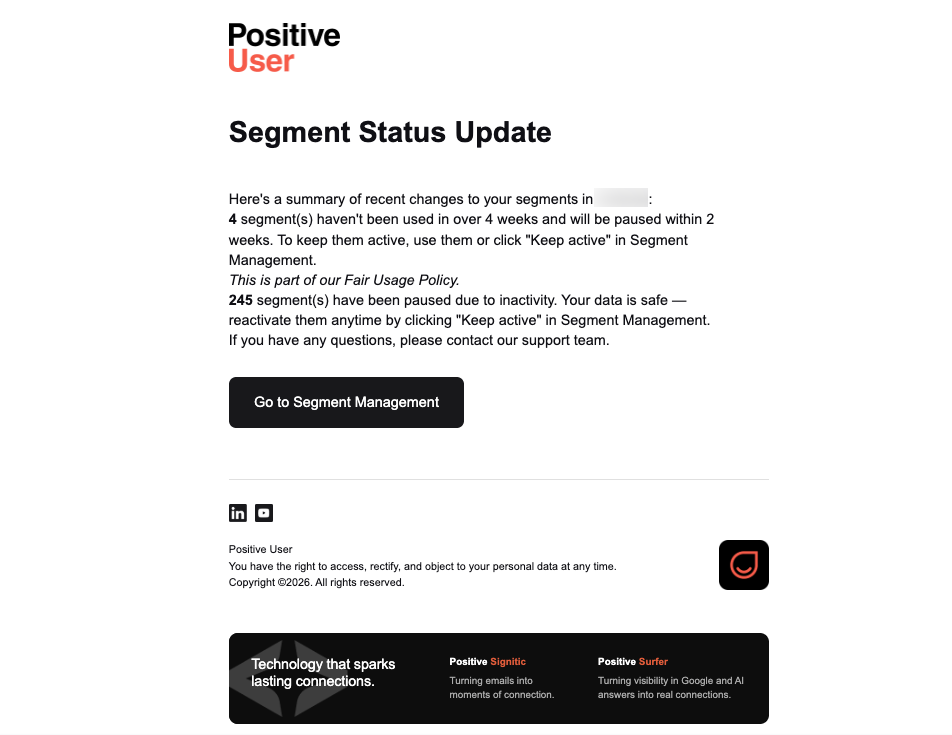
Positive User sends automated alerts to keep your team informed two weeks before any segment pauses.
Targeted delivery: Email alerts are sent directly to team members with the "Admin" role.
Weekly schedule: A single summary email titled "Some of your segments need attention" is sent once a week, but only when a segment enters a warning state or gets paused that week.
Clear details: The email lists the information about affected segments alongside a direct link to “Segment Management” so your team can take action.
Workspace-wide alerts: Sent to all team members inside your workspace.
Direct navigation: Displayed with the funnel icon, clicking the notification redirects your team directly to "Segment Management".
Audit tracking: Every status transition is logged under "Workspace Settings" → "Workspace Logs" → "Incident Logs" for complete transparency.