In Positive User, companies help you organize your contacts and sales efforts, especially in B2B contexts where you work with multiple people from the same organization.
A company represents an organization or business entity that your contacts belong to. It’s a core object in the system that helps you group contacts under a shared account, manage B2B relationships, and coordinate sales or support efforts across multiple contacts from the same organization. Each company has its own profile that contains key business details, employees, related deals and other relevant data.
Each company has its own profile, similar to a contact profile, but focused on organizational data.
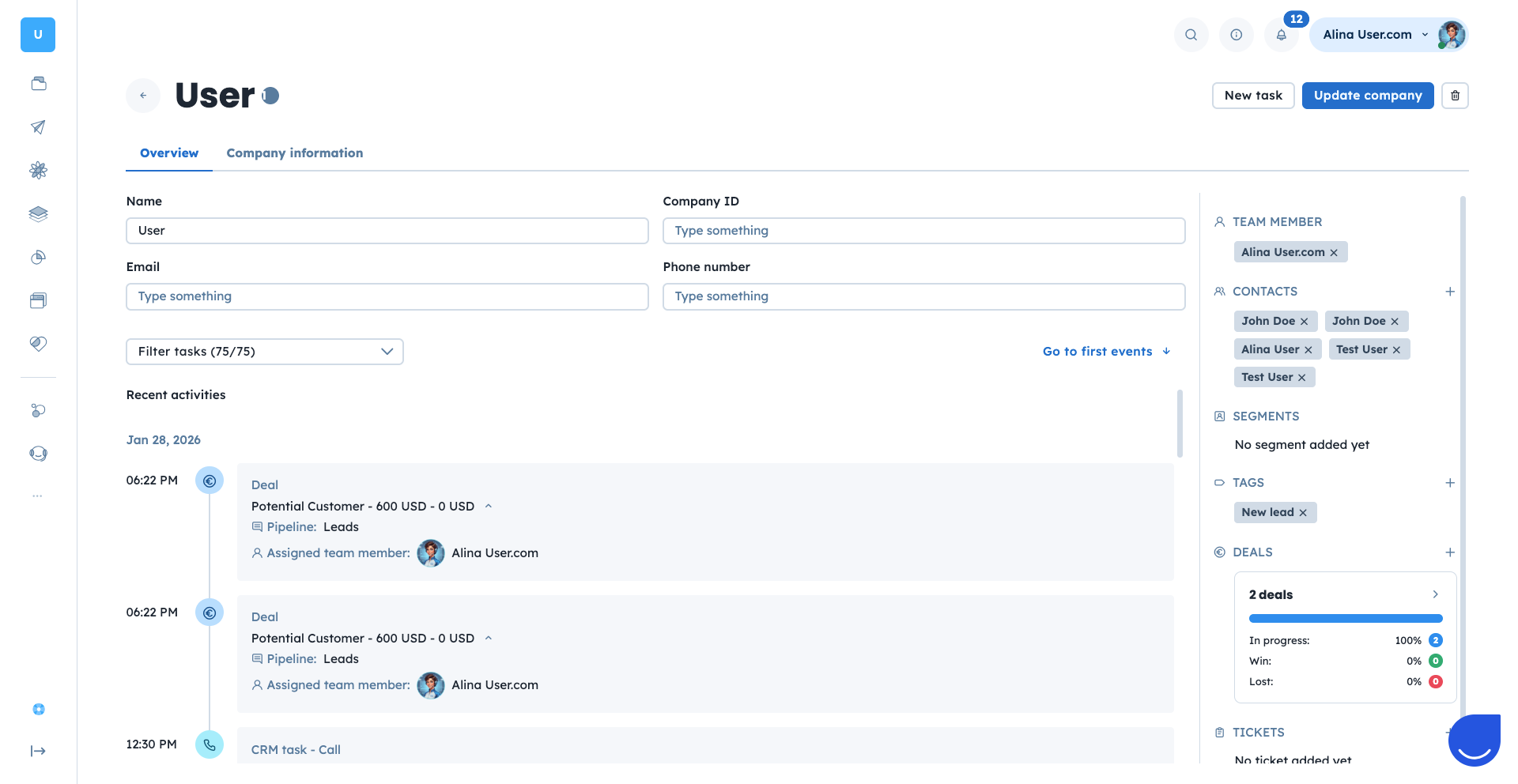
On the right you can find:
TEAM MEMBER: A person from your team responsible for this specific company from the database.
CONTACTS: A list of contacts associated with the company. This creates a clear link between individuals and the organization they belong to.
SEGMENTS: A list of the segments this specific company belongs to.
TAGS: A list of tags assigned to the company.
DEALS: Deals connected to the company, which might be tied to specific contacts or to the account as a whole.
TICKETS: Support issues reported by company contacts.
You can add and delete all the elements connected to this specific contact.
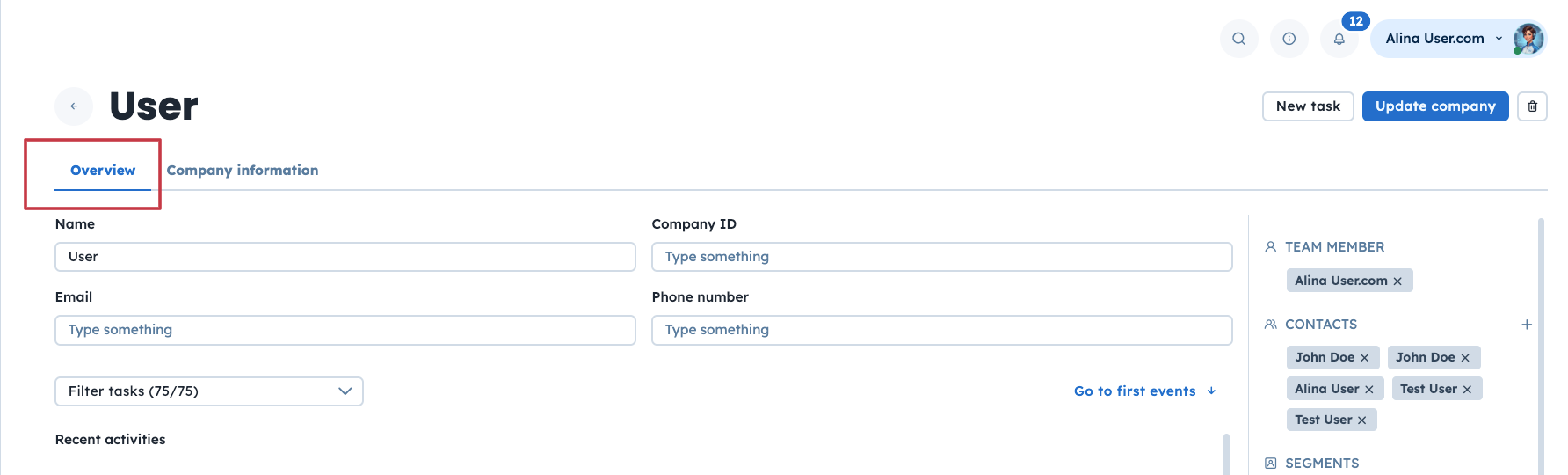
The middle section is divided into 2 sections:
Overview - here you will find basic information about the company, such as name, company ID, email, phone number and recent activities.
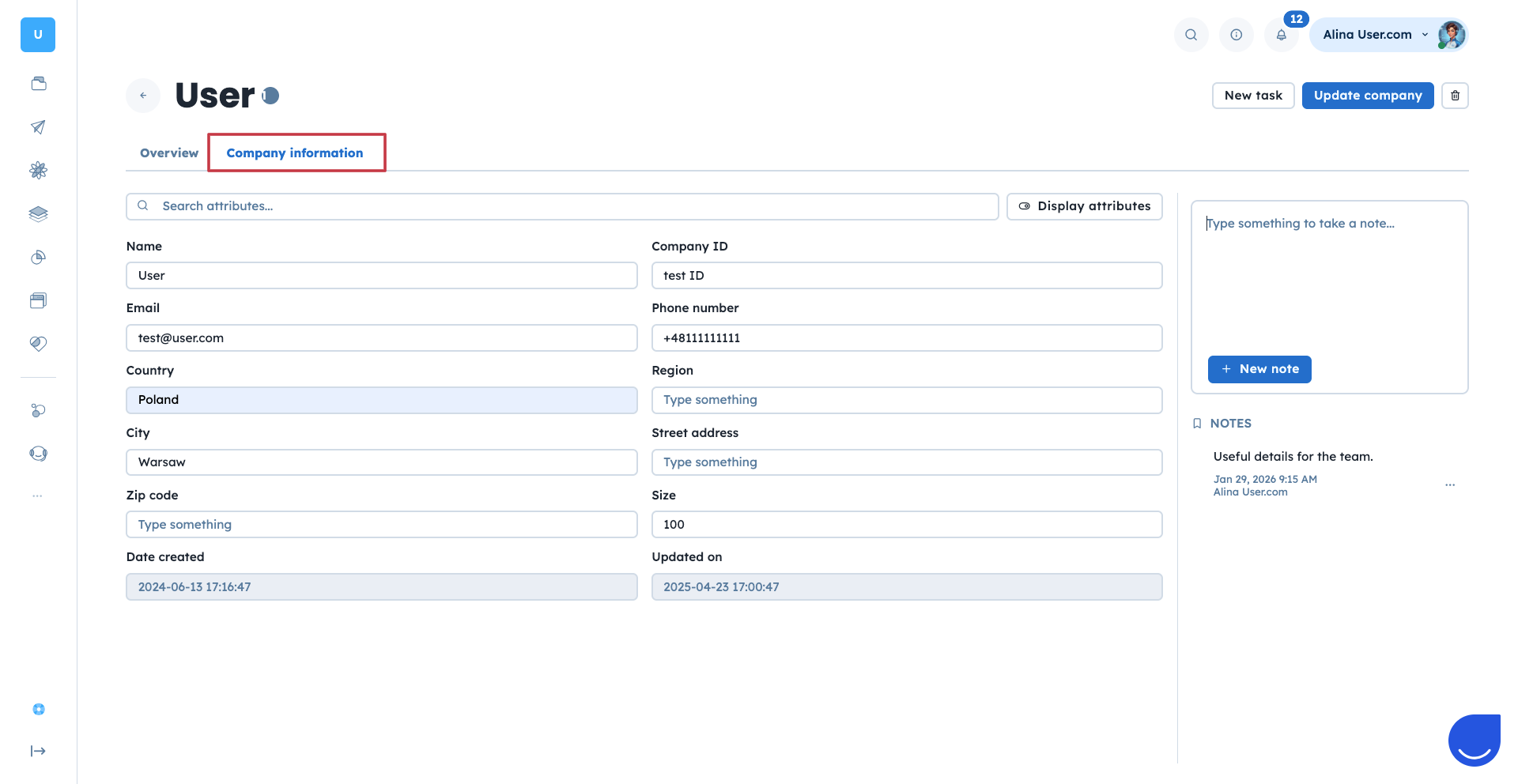
Company information - here you can create a note or search for standard or custom attributes to track anything relevant to your business.
Upper section is about quick access to most relevant features:
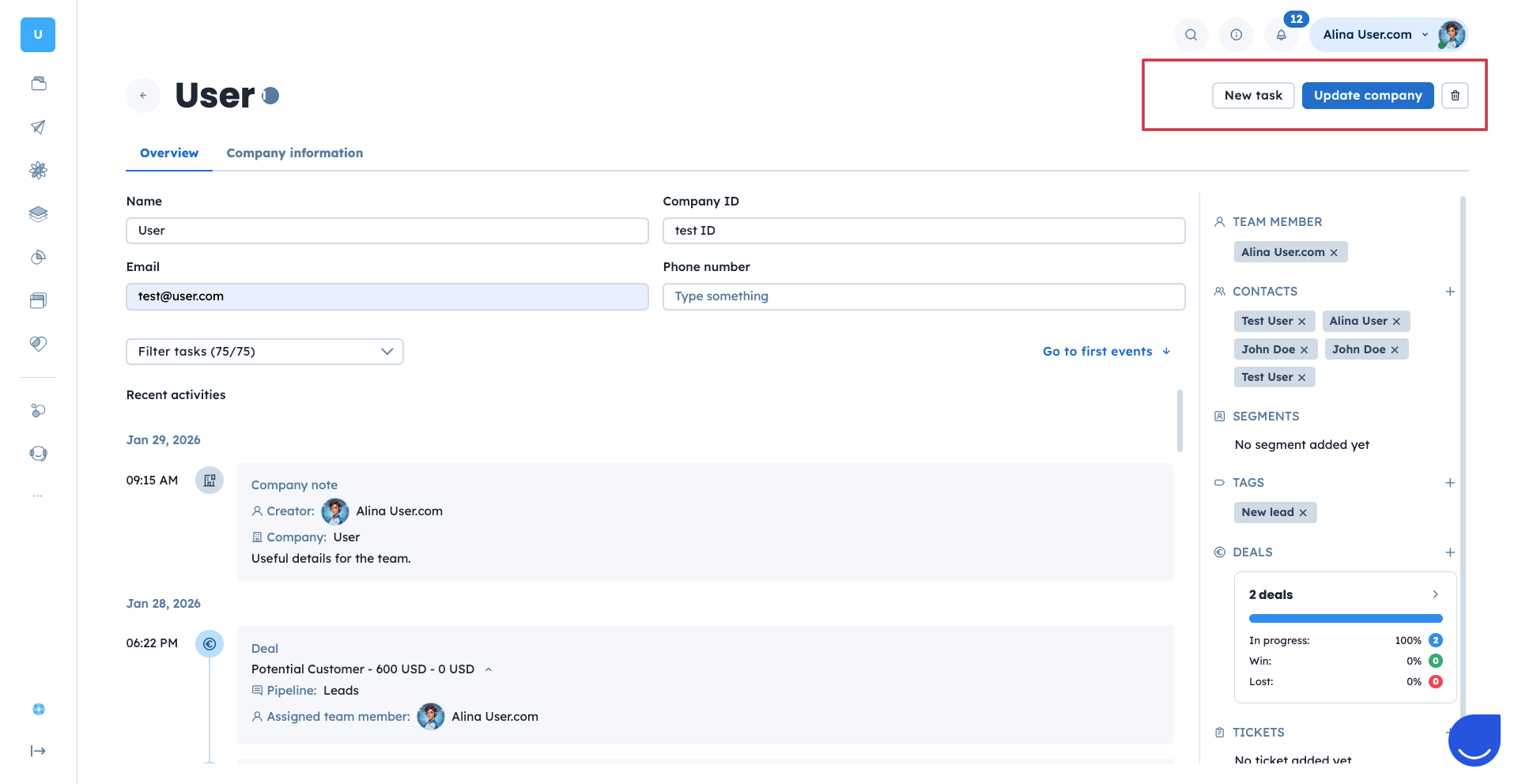
New task - you can create activities like calls, meetings, or tasks related to the company.
Update company - you can update specific company information.
Delete - you can delete this company.
By managing these all elements in one place, your team gains a full overview of the account’s history, potential, and status.
Companies fit into the broader Positive User data structure as shared entities linked to contacts and other objects. Here’s how the relationships work.
A Company can be connected to:
Contacts: Once a company is created you can assign multiple employees to it.
Deals: Deals on different pipelines can be assigned to the existing companies.
Tasks: Tasks can be created by the team members and assigned to a specific contact and company.
Tickets: Logged at the company level, often involving one or more contacts.
This structure makes it easy to organize data for account-based marketing, sales team collaboration, and high-level reporting.
There are several options of creating new companies in the Positive User application.
Manually in the application
Using the REST API or other type of integration
To know more about the specific steps of every method mentioned please check a dedicated article.
Remember, that there are also different methods (like automations) to update the existing company as well. To know them check the following article.
Companies are especially useful in B2B environments where you deal with several different contacts from the same business (e.g., different team members or departments). In addition your sales or support processes can be structured around accounts as well as the individuals. All the internal tasks like activities, deals and tickets assigned to various employees are available under one common company profile. Thanks to that companies allow your team to view an organization holistically rather than managing each contact separately, making workflows more efficient and coordinated.
